

Website Visitors
Use the Pocus Snippet to track anonymous website visits to your key pages.
This guide provides a comprehensive overview of setting up, understanding, and troubleshooting Website Visitors in Pocus. Use the Pocus Snippet to track anonymous website visits to your key pages, gaining valuable insights into your website's impact on your pipeline.
Setting Up Website Visitors
To enable Website Visitors tracking, you'll first retrieve the Pocus Snippet from your workspace and then add it to your website.
1. Retrieve the Pocus Snippet
-
Navigate to the Pocus Integrations Page: Go to the Pocus Integrations Page and select Add a Connection.
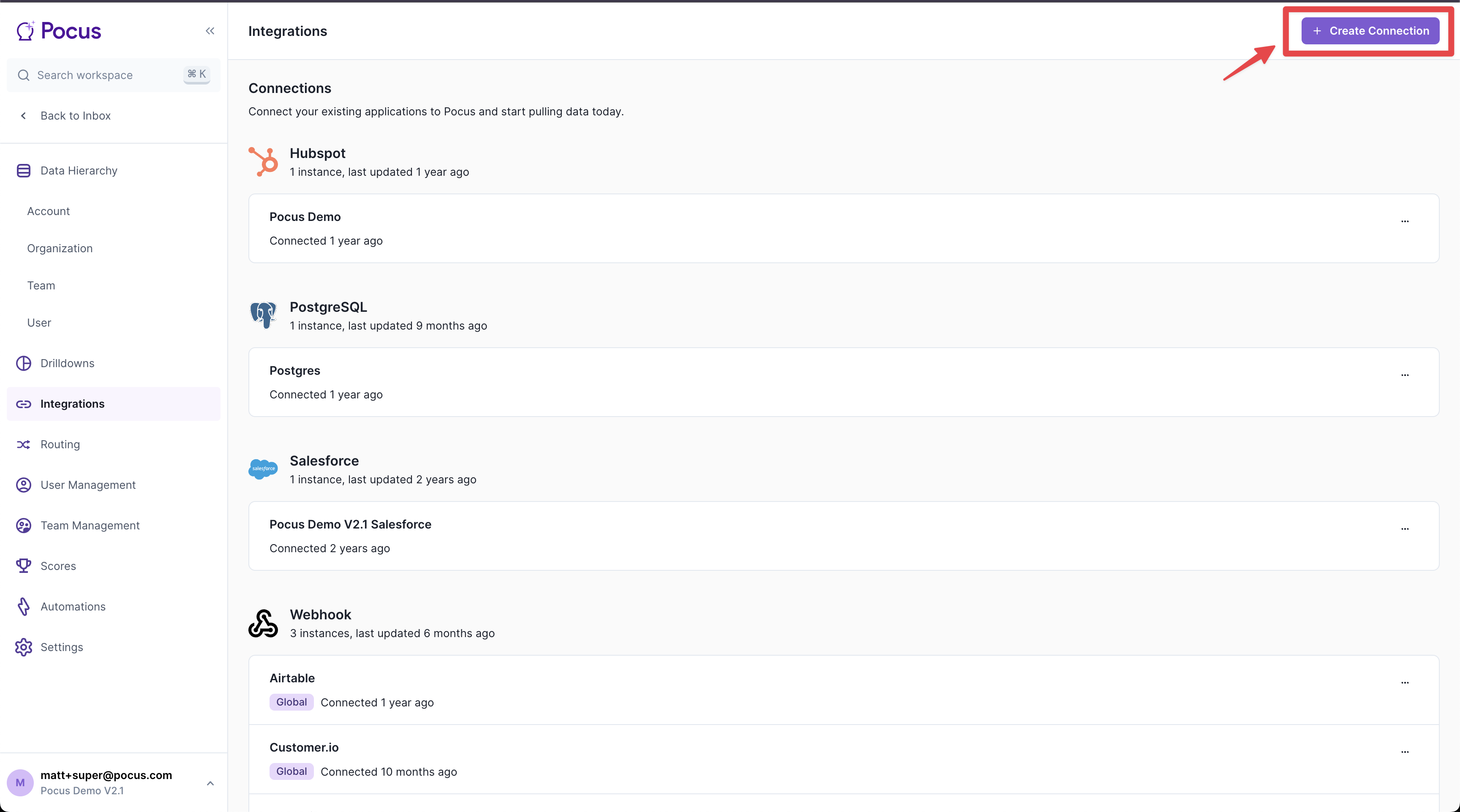
-
Select Website Visitors: Press the "Website Visitors" connection button and then click "Next".
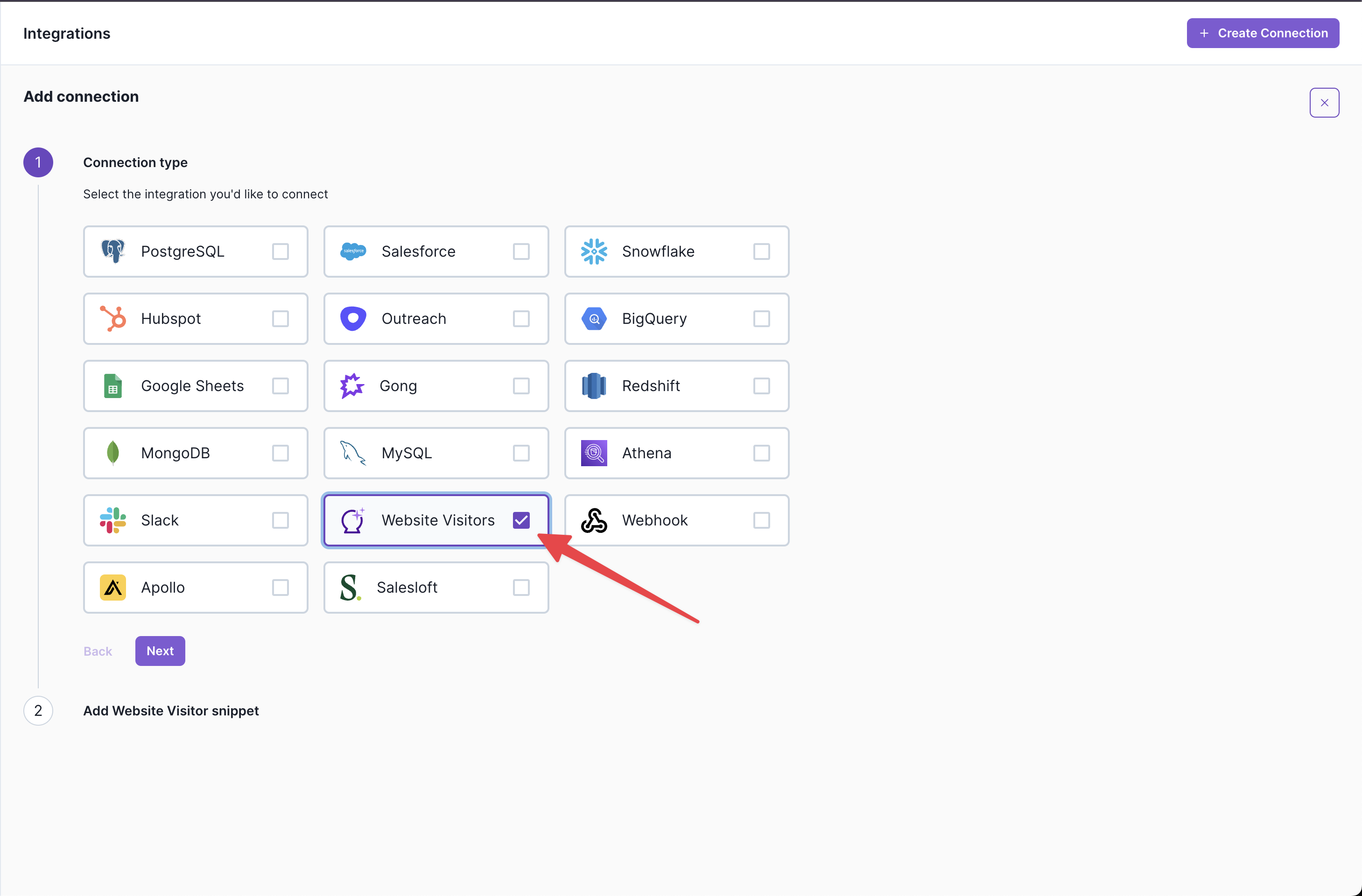
-
Copy the Code Snippet: Copy the provided code snippet.
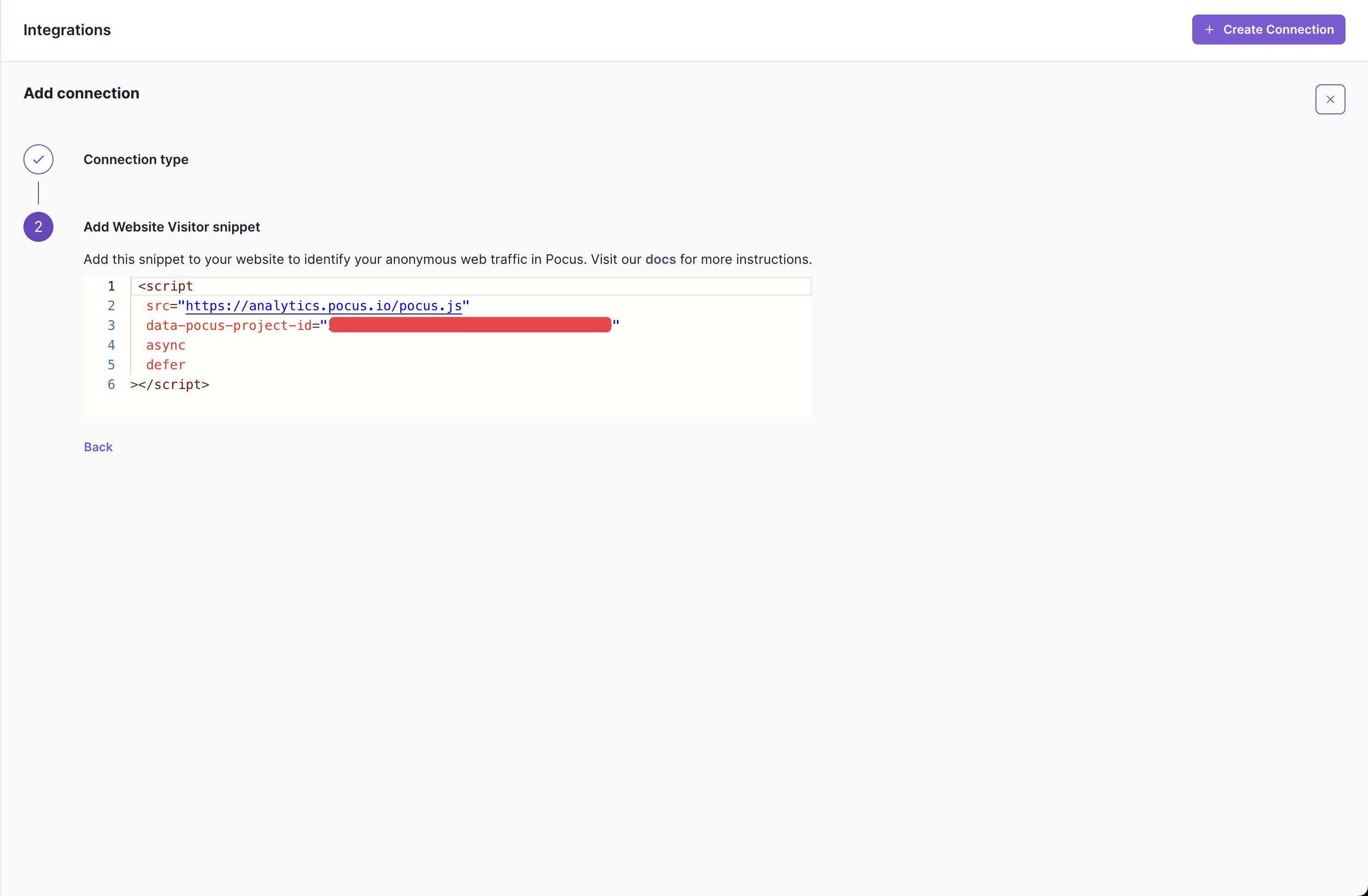
-
Complete the Setup: Click the "X" to close the setup when you are done.
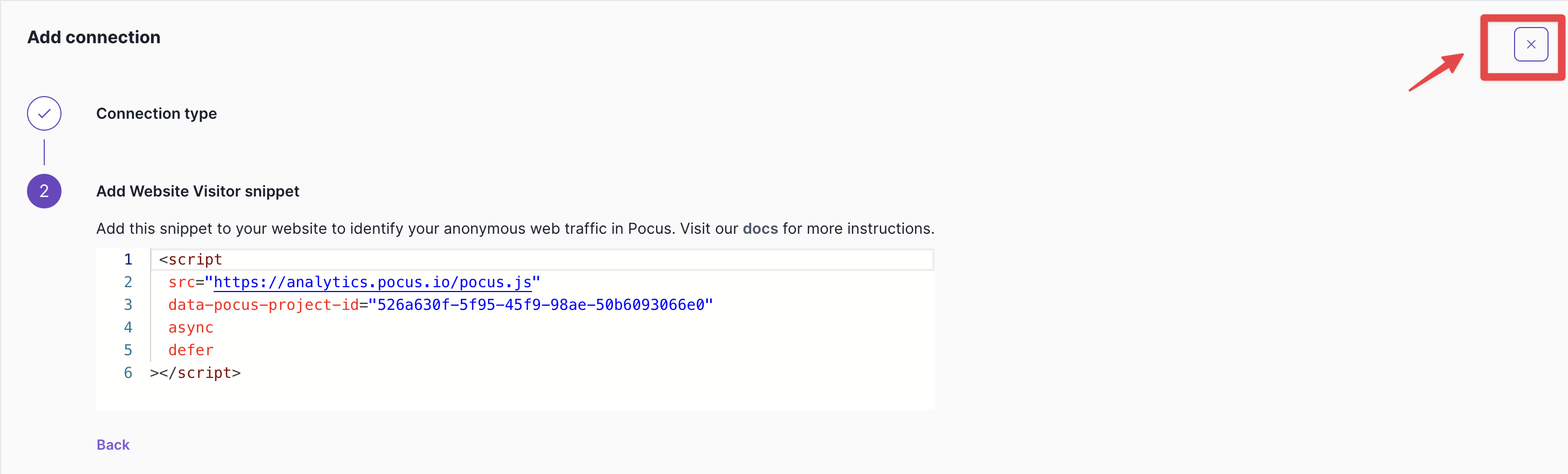
Note: You can find the project ID for your workspace in your integration settings. This ID is crucial for the snippet to function correctly.
2. Install the Pocus Snippet on Your Website
Add the Pocus snippet to your website to begin tracking visitors. Choose the installation method that best suits your setup.
Standard Installation
Add this script tag to your website's <head> section, right before the closing </head> tag:
<script>var script = document.createElement('script');
    script.defer = true; script.async = true;
    script.src = "https://api-ingest.pocustrack.com/pocus-track/{{your-unique-project-id}}";
    document.getElementsByTagName('head')[0].appendChild(script);
</script>
Note: Replace your-unique-project-id with the actual project ID you copied from your Pocus workspace.
Google Tag Manager Installation
If you're using Google Tag Manager, ensure you toggle on "Support document.write" within Google Tag Manager for proper functioning.
This snippet provides default company-level insights. To enable person-level de-anonymization, turn on the RB2B integration.
For details, see Person Level Website Visitors (RB2B).
How the Website Visitor Snippet Works
The Pocus Website Visitor snippet is a lightweight JavaScript tracking code designed to automatically identify anonymous website visitors and enrich them with company intelligence. This provides you with visibility into which companies are visiting your website, helping you prioritize outreach and understand your website's impact on your pipeline.
1. Automatic Detection
When a visitor loads your website, the snippet automatically:
- Detects the page load event
- Extracts your unique project ID from the script tag
- Generates a unique session identifier for the visit
2. Data Collection
The snippet collects anonymous visitor data including:
- Current page URL
- Referrer (where the visitor came from)
- User agent (browser and device information)
- Timestamp of the visit
- Session ID for tracking return visits
3. Secure Transmission
The collected data is securely sent to Pocus servers via HTTPS POST request to our visitor events endpoint.
4. Company Enrichment
Using the visitor's IP address, we automatically enrich the data with:
- Company name and domain
- Industry and company size
- Geographic location
- Technology stack
- Other firmographic data
What You'll See in Pocus
Once the snippet is active, you'll have visibility into:
- Company Identification: See which companies are visiting your website
- Page Analytics: Understand which pages attract the most company traffic
- Return Visits: Track how often companies return to your site
- Engagement Patterns: Identify high-intent companies based on their browsing behavior
- Pipeline Impact: Connect website visits to your sales pipeline
Verifying Event Flow
Once the snippet is enabled, it will begin sending events to Pocus. Here's how to check if events are being received:
- To check if events are sending, head to the integration page. At the bottom, you will see a count of the total events received in the last 24 hours.

Please note that it may take 5-10 seconds for the total events received to display on page load, and up to 5-10 minutes for the first event to start appearing.
Use the
***menu to disable event processing. When this is disabled, Pocus will drop any new events received. Previously sent events will still process.
Performance Impact
Lightweight Design
- File Size: Under 5KB gzipped
- Load Time: Minimal impact on page load speed
- Async Loading: Non-blocking script execution
- Browser Support: Works on all modern browsers (Chrome 58+, Firefox 57+, Safari 11+, Edge 16+)
Troubleshooting
Common Issues
Script not loading:
- Verify the script tag is placed in the
<head>section - Check that your project ID is correct
- Ensure the script URL is accessible from your domain
No data appearing:
- Allow 24-48 hours for initial data to populate
- Verify the script is loading without JavaScript errors
- Check browser console for any error messages
Incorrect company identification:
- Company identification depends on IP address accuracy
- Some corporate networks may use shared IP addresses
- VPN usage can affect company identification accuracy
Debug Mode
Enable debug logging by adding this before the snippet:
<script>
window.POCUS_DEBUG = true;
</script>
Support
If you encounter any issues with the website visitor snippet:
- Check the troubleshooting section above
- Verify your project ID is correct
- Check browser console for error messages
- Contact Pocus support with specific error details
After installing the Pocus Snippet, check out our guide on Querying Website Visitors in Pocus to create meaningful fields to surface high-intent accounts in Pocus Playbooks.
Updated 11 months ago