

How to embed Pocus within Salesforce
This Pocus embed integration will allow you to interact with Pocus from within Salesforce. With this integration, your team will be able to quickly access the inbox and record drilldown views without ever leaving Salesforce.
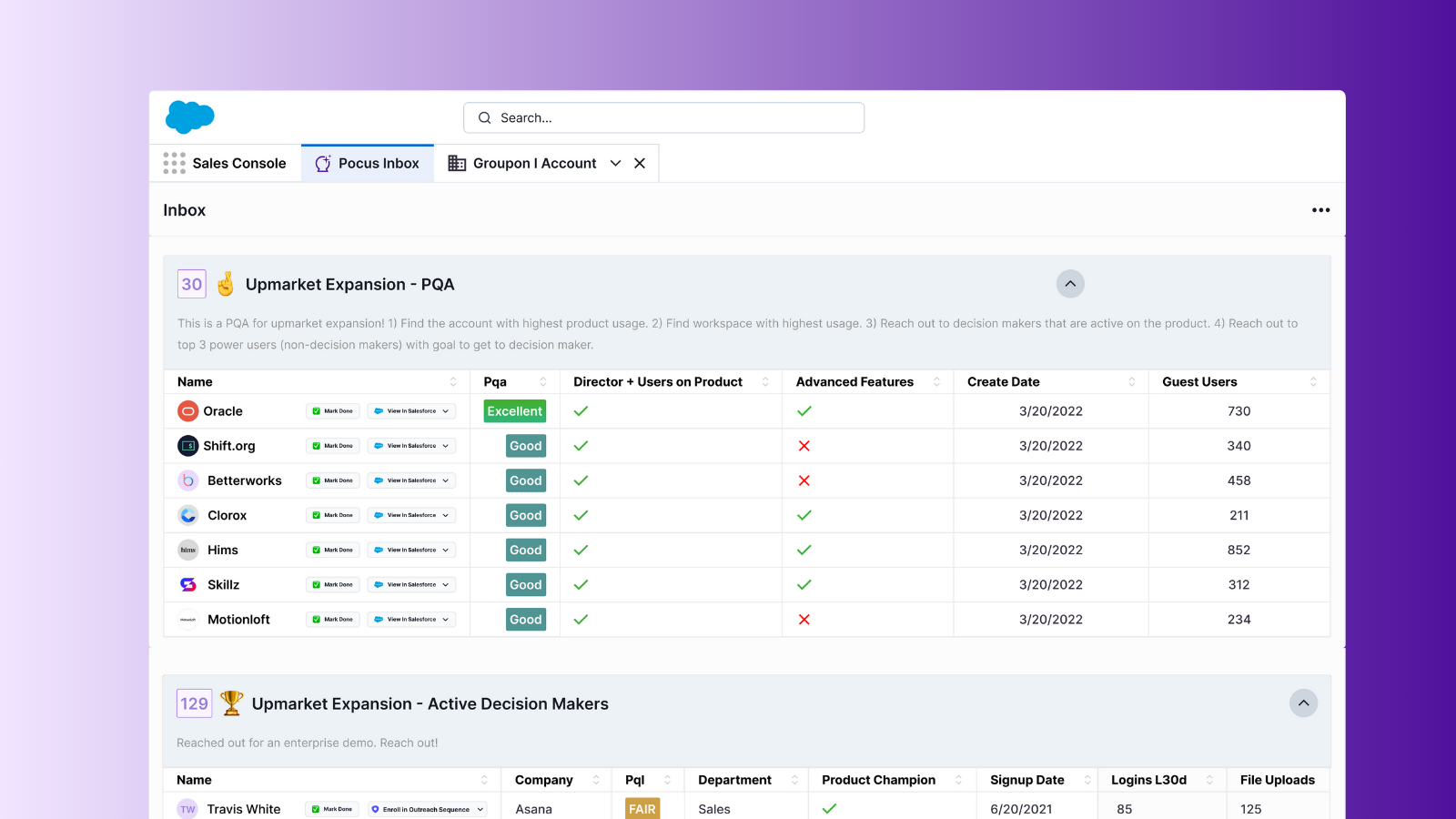
Power Salesforce workflows with the Pocus Inbox
The Pocus embed package is very lightweight, and only contains new lightning components + a new Tab object. Installing this package will not change any Salesforce records or give Pocus new access to your Salesforce.
Pre-requisites
- You have admin access to Salesforce. Specifically, you will need the ability to edit pages to add the Pocus lightning component
How to install the Pocus embedded app
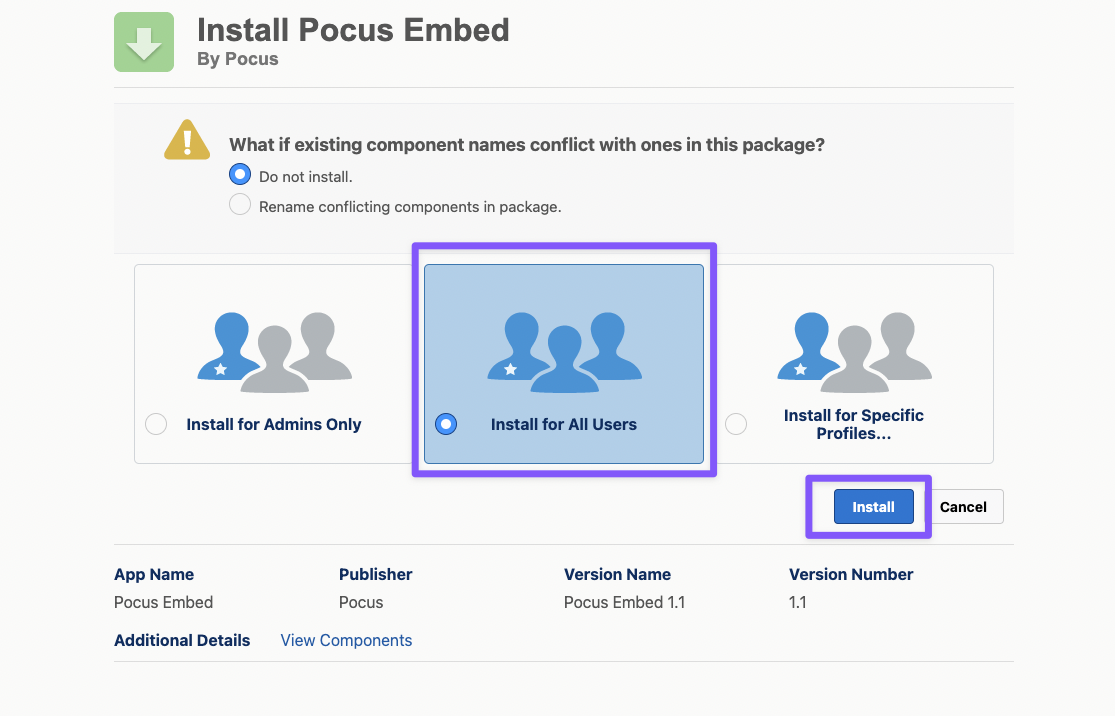
- Install the Pocus embed package to Salesforce, and make sure to select "Install for All Users" when prompted.
- If you are attempting to install the embed package to a sandbox Salesforce instance, use this link instead
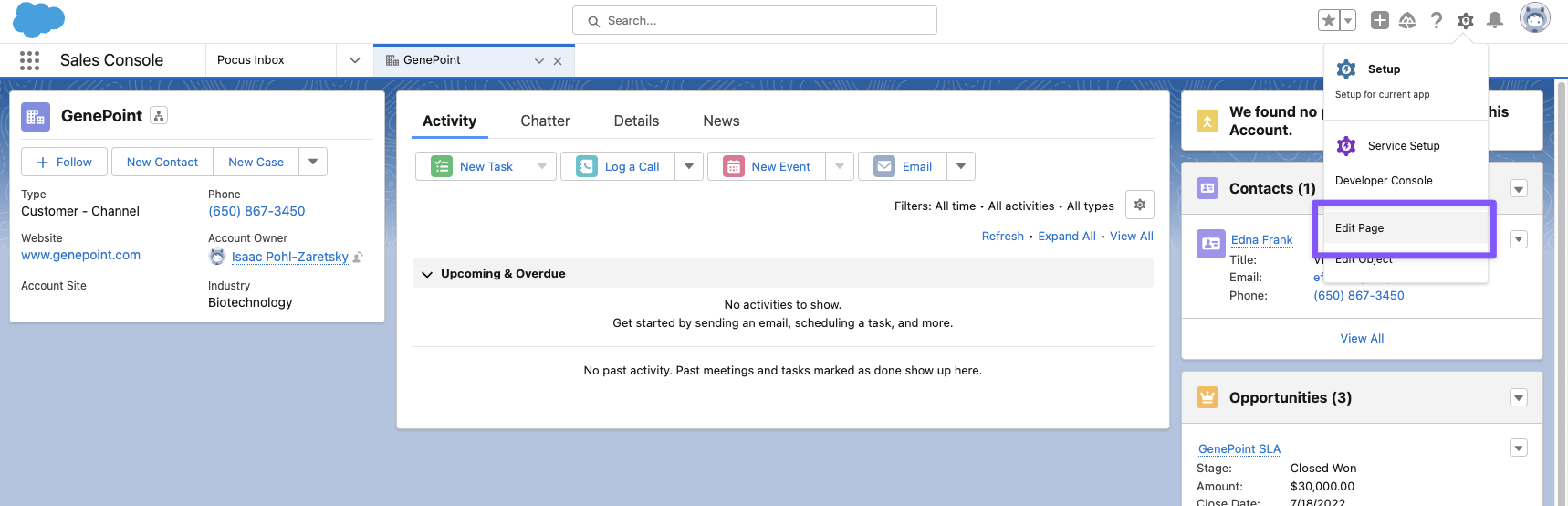
- From the record page you want to add the Pocus embed to, hit the gear button and "Edit Page".
- For this example, we'll be adding the Pocus embed to the Account object, but the embed works for any custom object!
- From the component sidebar on the left side of the screen, drag the "Pocus Object Insights" component into the desired section of the record page.
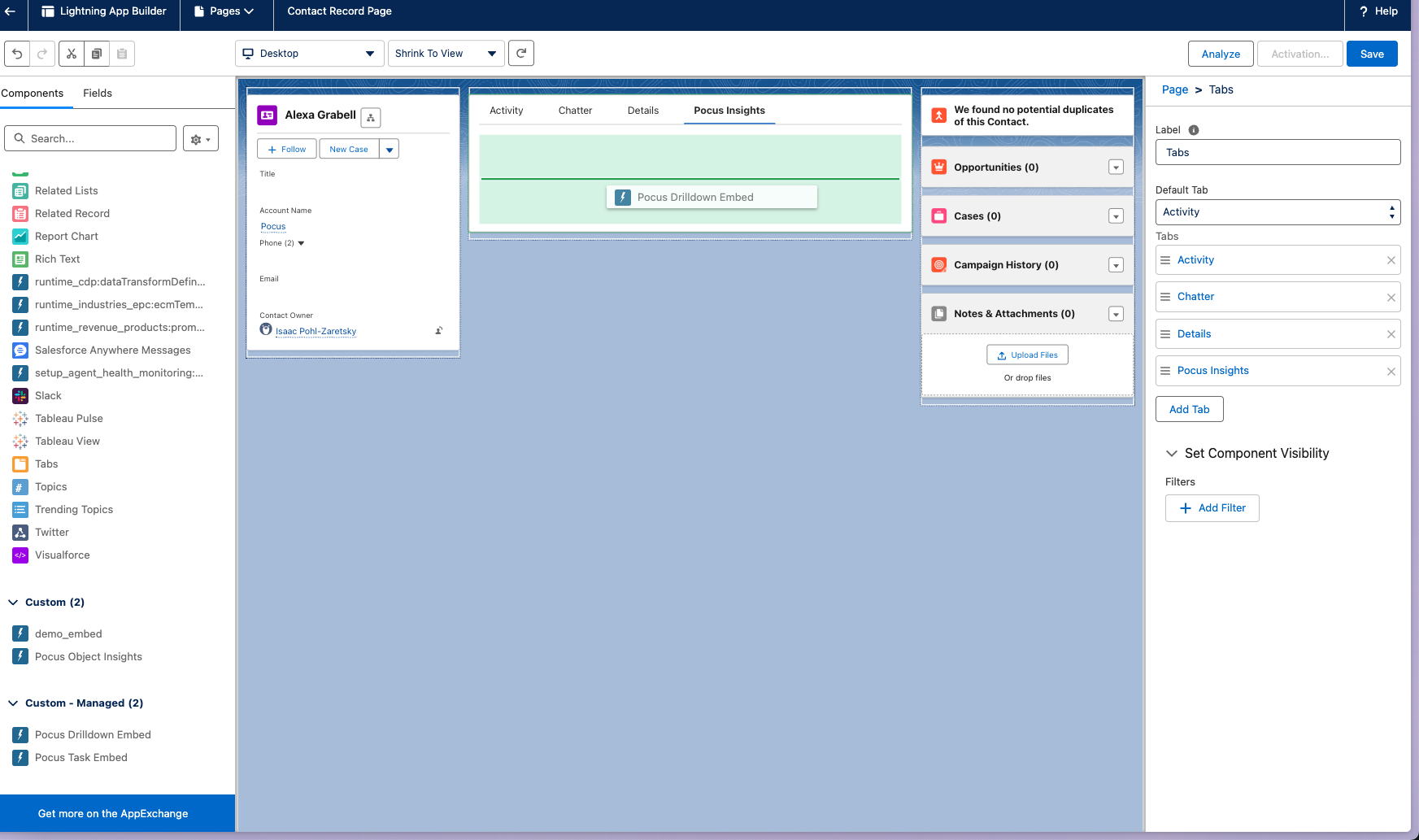
- Hit Save. Depending on whether or not the record page already has custom modifications, you may need to use the "Activation..." button to activate the page for the app you are adding the Pocus embed to.
Mapping Pocus objects to Salesforce objects
- Navigate to Workspace Settings > Data Hierarchy in Pocus.
- Select the Object you'd like to map (i.e., Account). Click on the Settings tab.
- If your workspace is connected to SFDC, you'll see a Salesforce Embed configuration form at the bottom of the Settings page. Here you will select the Salesforce object from a list of available objects (e.g., Account, Contact, Custom_object__c). Then select field available in Pocus that maps to the Salesforce object record id (e.g., Salesforce Account Id).
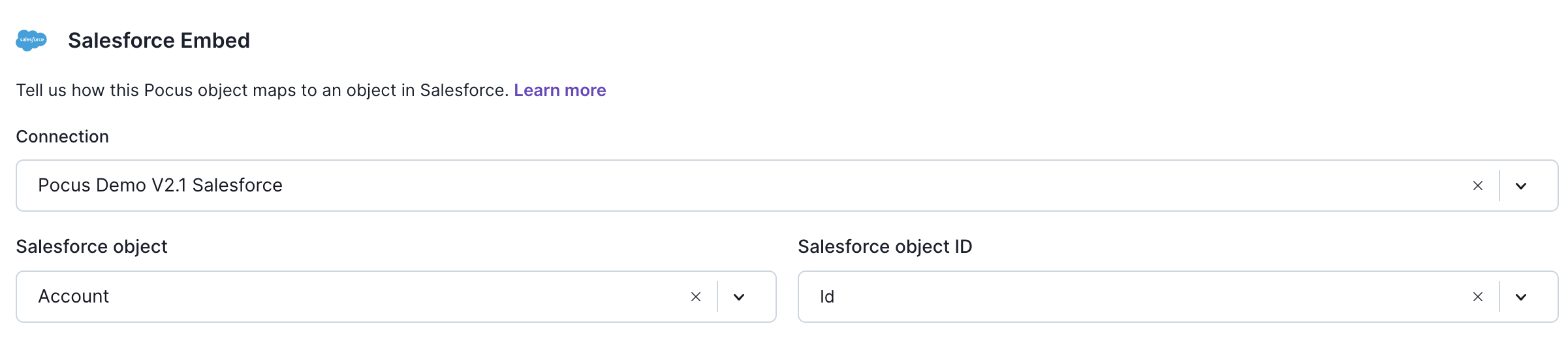
The Pocus Insights tab in SFDC only supports a 1:1 mapping between Pocus object and Salesforce object. The same Pocus object cannot be mapped to two different Salesforce objects (e.g., Lead and Contact).
How to use the Pocus embedded app
-
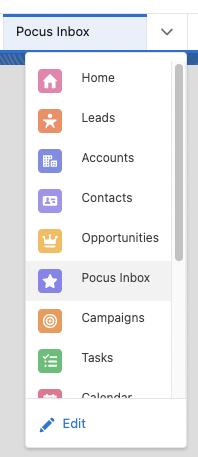
Within tools like Sales Console, "Pocus Inbox" will now show up as a tab.
- Users may need to hit Edit -> Add More Items -> Pocus Inbox to make this option appear
-
Within record pages, there will now be a "Pocus Insights" tab that will render the drilldown view for the open Salesforce record.
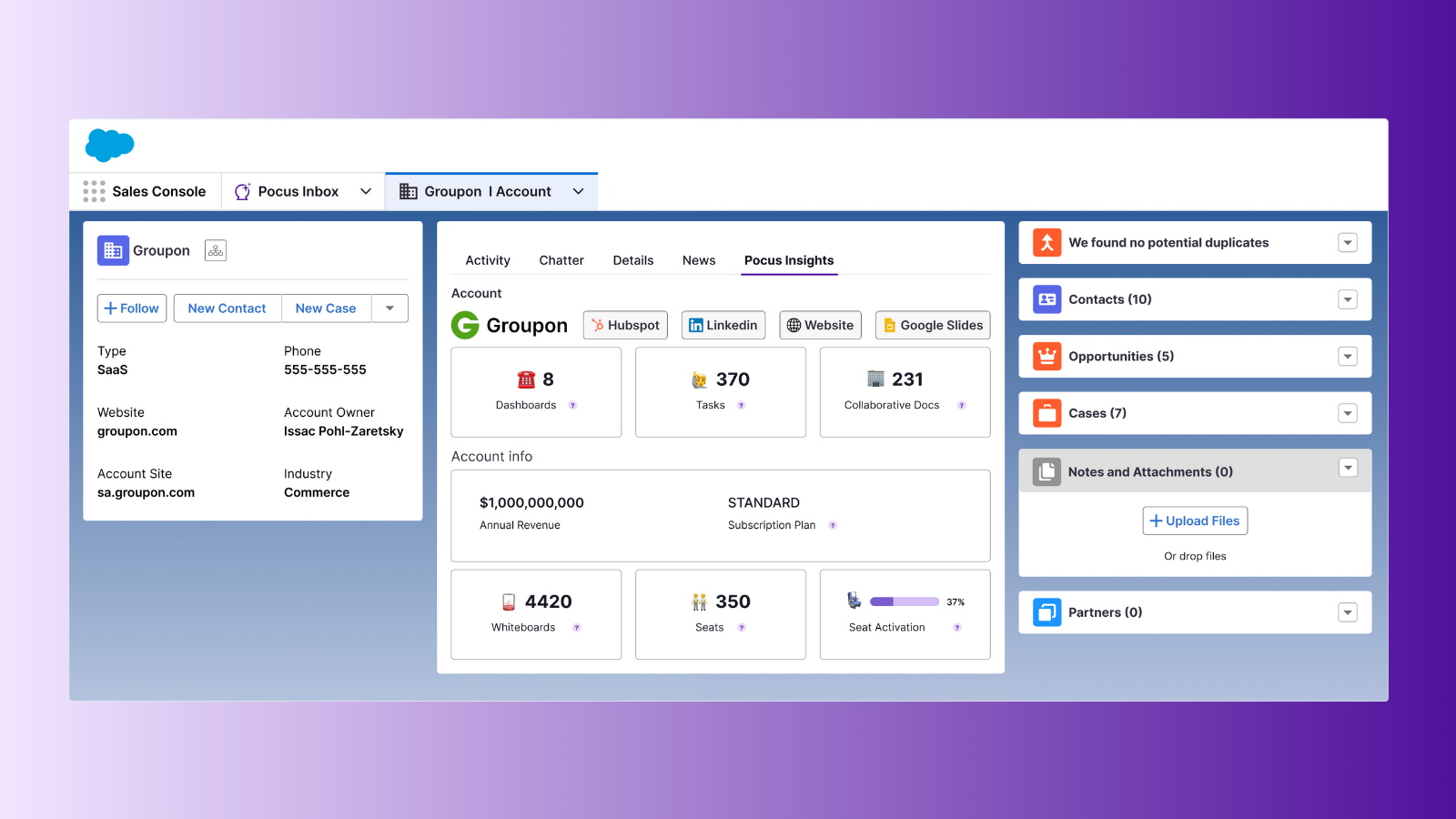
Get granular insights into users, accounts, and workspaces without custom objects
Updated 11 months ago