

Opportunity & Usage Reporting
Pocus has several usage reporting options available to get insight into activity and configurations of your workspace. If you are not seeing a desired report, or have any questions or feedback to share, please reach out to your CSM in Slack. Certain reports are only available to workspaces on Enterprise plans.
Working with Usage Reports
Access usage reports by selecting the Reporting link from the left navigation pane in your workspace
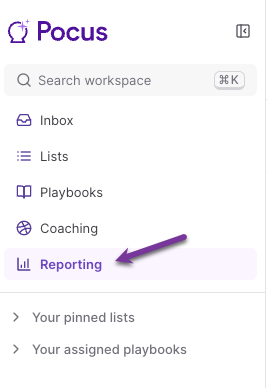
Each reporting tab will have different filtering options available along the top. See details on how you can filter, as well as explanations of the available metrics, under each report's specific documentation below:
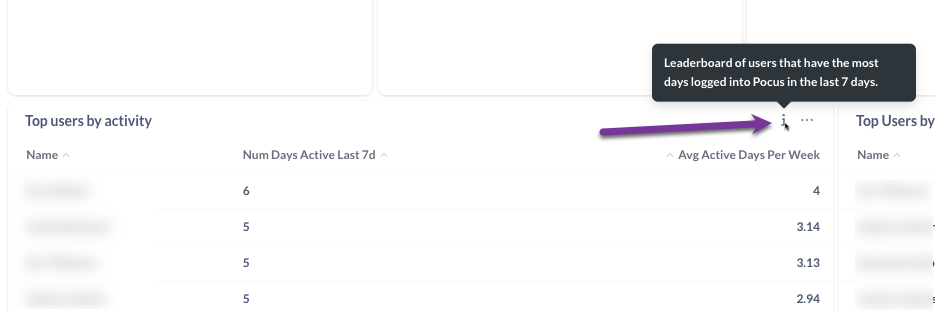
To learn more about the data in a particular section, hover your mouse pointer over the 'i' information bubble to learn more
You can export the report as a PDF document by selecting Export as PDF in the upper right corner of the page

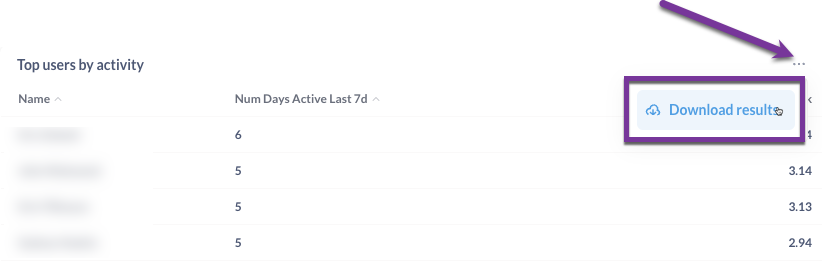
Select the three radio buttons in the upper right corner of any reporting section for an option to Download Results. This will allow you to download the raw report data to join with your own internal data.
Updated over 1 year ago