

Creating Objects & Associations
Begin setting up your Data Hierarchy in Pocus with Objects
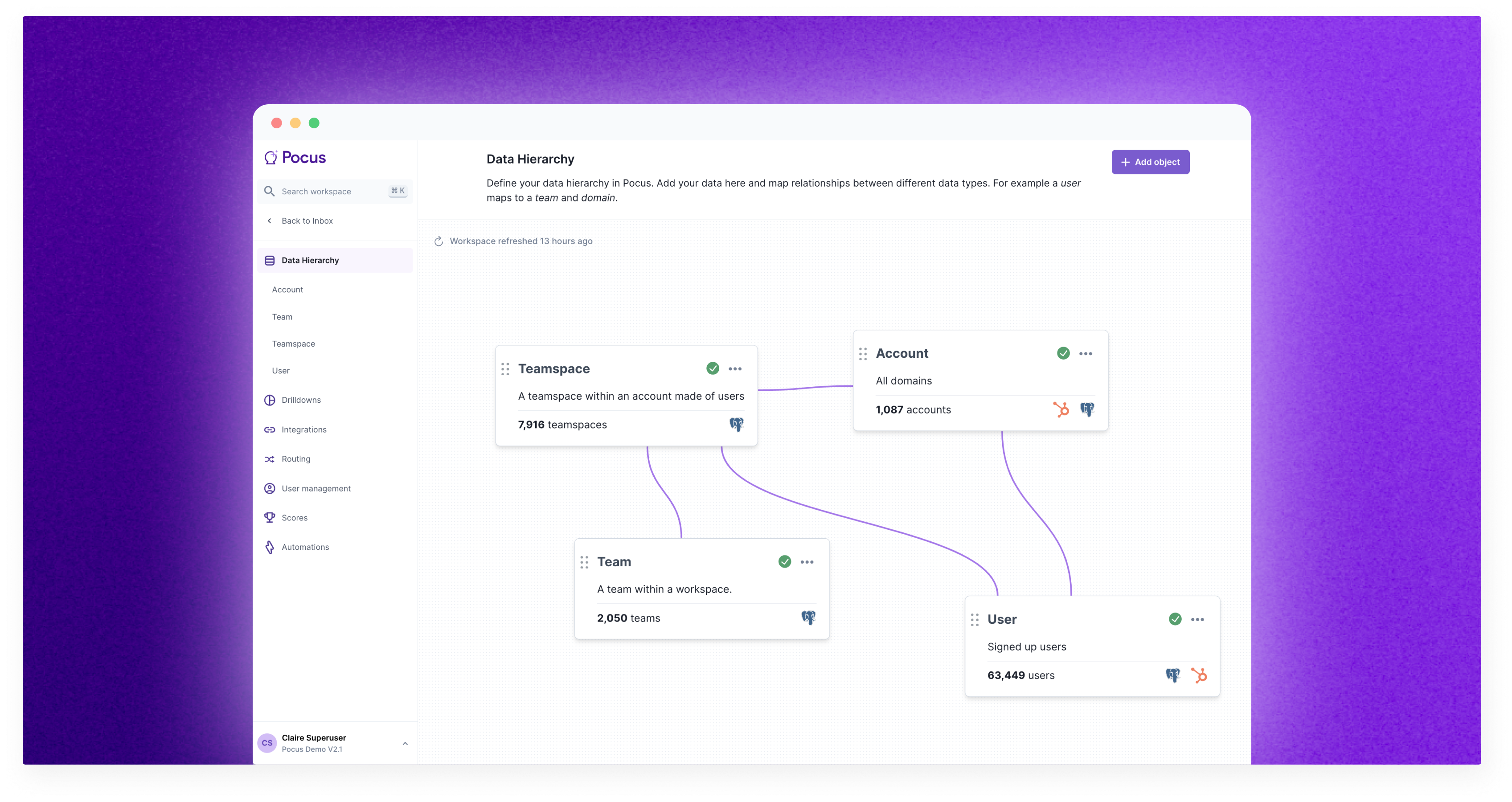
What Are Objects?
Objects are the high-level container for a collection of fields. They correspond to items in a business such as customers, accounts, companies, opportunities, leads or anything else that a company interacts with and has disparate data for that they would like to consolidate in Pocus.
It is Pocus’s flexible data model (our ability to create independent queries that come together to make all the fields describing an object) that allows users to create new objects on the fly and string up associations between them.
How to Create Objects
Going into your workspace settings you will open on the data hierarchy, from here you can create a new object by clicking the “Add object” button in the top right
Once clicking you will be prompted to name your object and describe it. We highly encourage adding a description to ensure all administrators know the outlines of the object
After your object has been added you can start querying against your available data sources. At a minimum, you will need to bring in a field or fields that can act as the Primary Key and Display Name of the object.
When these have been brought in, go to the “Settings” tab of the new object and select the relevant fields for them.
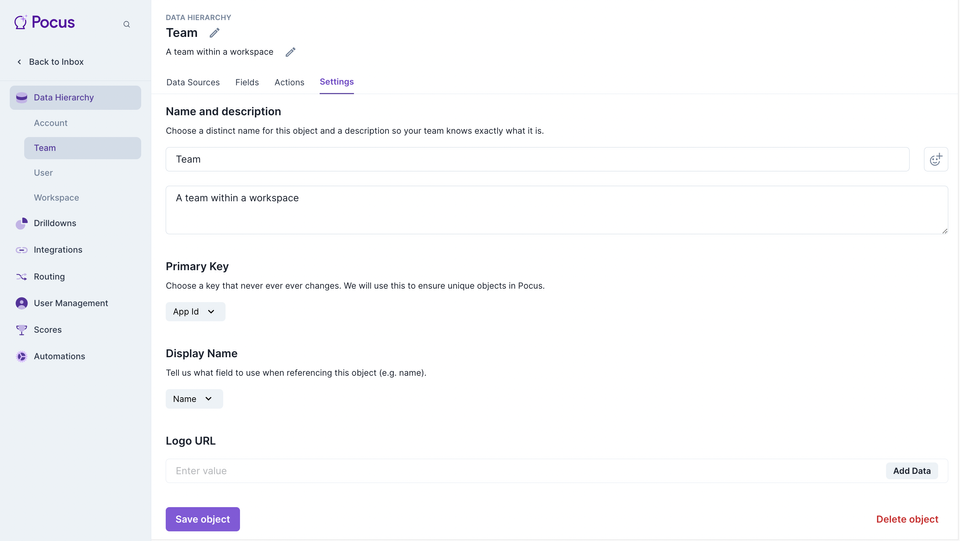
Choose primary key wiselyCurrently once a primary key is set it cannot be changed! It is only through a resource intensive process on our end that will allow us to change this so choose wisely when setting up the object for the first time. Migrating the primary key will mean losing all historical data, reporting, and action history (e.g., Mark Dones) for that object.
Deleting An Object
If you no longer need an object in your workspace you can delete it by returning to this Settings page and clicking “Delete object” in the bottom right corner. Before doing so, ensure that all fields associated with the object have been removed from the workspace. We do not perform a cascade delete when removing the object, so any fields in use when the object is deleted will result in the hosting item (list, drilldown, etc.) not being able to load as it continues to query for the non-existing field.
What are associations?
Associations are the way two objects connect with each other. They define how Users relate to Accounts, Workspaces, and vice versa in Pocus. Associations in Pocus can be 1:1, 1:many, or many:many.
How to make an association?
To make an association between objects, simply drag and drop a line from one object to another in the Data Hierarchy menu. After making the connection, you will be prompted to select fields that will link the two objects where they match. Make sure the data type of these fields is the same so that they can be properly matched.
Self-associations (e.g., Account <> Account) are supported but require configuration from your Pocus support team.
Where can I use associations and why do they matter?
Associations can be used in
- Filters
- Custom Trait Definitions - Pocus Query Language
- Drilldowns
- Between Goals and Playbooks
Updated over 1 year ago