

Permissions
Control access to the various features throughout the Pocus workspace
Permissions determine how individual users interact with Pocus. Please reach out to your Pocus Admin if you need your permissions adjusted, or Pocus support if you have any questions!
See below the chart for how to invite users and set permissions.
| Functionality | Read Only | Rep | Manager | Rev Ops | Full Editor | Admin |
|---|---|---|---|---|---|---|
| View Lists and Inbox | ✅ | ✅ | ✅ | ✅ | ✅ | ✅ |
| View Drilldowns | ✅ | ✅ | ✅ | ✅ | ✅ | ✅ |
| View Goals and Playbooks | ✅ | ✅ | ✅ | ✅ | ✅ | ✅ |
| View Scores and Signals | ✅ | ✅ | ✅ | ✅ | ✅ | ✅ |
| 'Mark Done' in the Inbox and follow custom links | ✅ | ✅ | ✅ | ✅ | ✅ | ✅ |
| Invoke actions from the Inbox (like enrolling in an Outreach sequence) | ✅ | ✅ | ✅ | ✅ | ✅ | |
| Filter Lists and Inbox | ✅ | ✅ | ✅ | ✅ | ✅ | ✅ |
| Create/Update a Personal List | ✅ | ✅ | ✅ | ✅ | ✅ | |
| Create/Update a Company List | ✅ | ✅ | ✅ | ✅ | ||
| View Playbook Metrics (Markdone, Timeline, etc.) | ✅ | ✅ | ✅ | ✅ | ||
| Configure Drilldowns | ✅ | ✅ | ✅ | |||
| Configure Goals and Playbooks | ✅ | ✅ | ✅ | |||
| Configure Signals and Scores | ✅ | ✅ | ✅ | |||
| Create a new object in Data Hierarchy | ✅ | ✅ | ||||
| Add or modify a query in Data Hierarchy | ✅ | ✅ | ||||
| Update Fields, Data Sources, and Settings in Data Hierarchy | ✅ | ✅ | ||||
| Add a new Integration | ✅ | ✅ | ||||
| Export data as a CSV | ✅ | |||||
| Invite new users | ✅ | |||||
| View Coaching and Reporting Page | ✅ | |||||
| Edit Company Profile | ✅ | ✅ |
Multiple rolesCurrently a user is able to hold multiple roles. If they are holding two primary roles, the higher permissions of the two will be the ones the user receives. See the below chart for details on User action scoping to permissions
Supplementary Permissions
CSV Downloader
Want to grant non-admin users the ability to download CSV's from lists and tables throughout the workspace? Add on a Supplementary: CSV Download permission to any existing user's permissions. Admins always have the ability to download CSVs
Impersonator
Grant managers the additional Coaching features by enabling the Supplementary: Impersonator permissions. Regardless of their base status, this will allow them to:
- Impersonate users: View lists and inboxes as if they were that user. Any action taken when impersonating will still be attributed to the viewing user.
- Analyze coaching reports: View the coaching page to see how their direct reports are maintaining and actioning their inboxes at a high level.
- View reporting page: View the reporting page to leverage opportunity and usage reporting
Set and Update Permissions
The user's permissions are set when first invited. Permissions can always be updated in the User Management modal by clicking the three-dot menu and editing permissions.
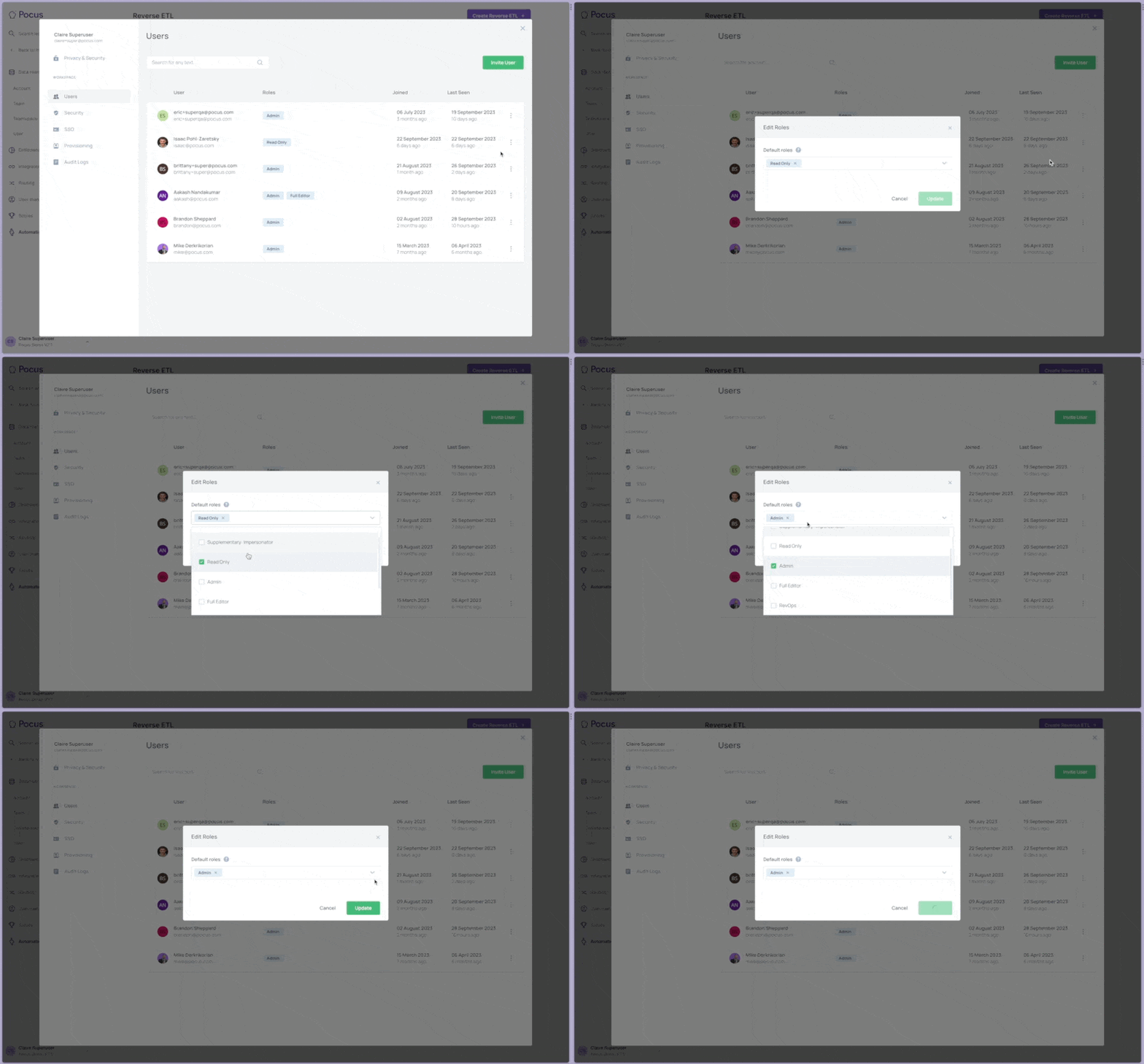
If using Okta SSO, default permissions can be set. Learn more.
Updated 7 months ago