

User Activity Reporting
User Activity reporting is useful to see how active reps are within your workspace.
Available Filters:
If you are a manager, you can select the drop down next to Manager Email and enter your email to see the activity report just for users on your team.
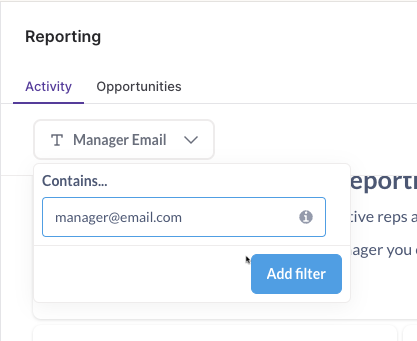
The Manager Email filter leverages SFDC manager data. If your workspace does not use SFDC or that field is out of date in the CRM, results may appear inaccurate
Available Metrics
The following sections are available on the User Activity reporting page:
-
Active User counts last X Days: An active user is defined as any user that has loaded a page within the Pocus app or from within Pocus embedded in Salesforce.
-
Active Users L7D: Total active users within the last 7 days
-
Active Users L30D: Total active users within the last 30 days
-
Active Users L90D: Total active users within the last 90 days

-
-
Average Active Users L7D: For reps that have logged in within the last 7 days, this shows how many days on average they logged in this week

-
Total Users Invited: Total number of users invited, including pending invites

-
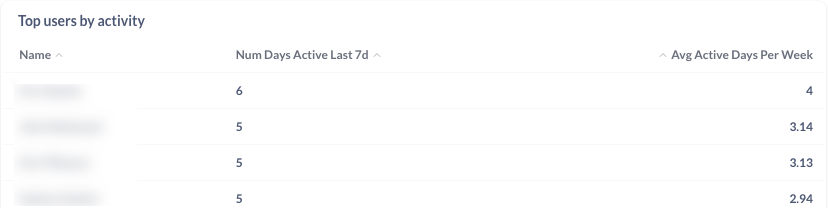
Top Users by Activity: Leaderboard of users that have the most days logged into Pocus in the last 7 days
-
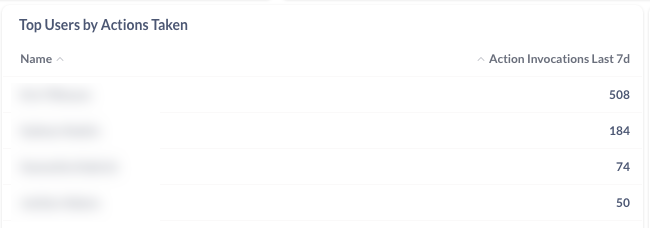
Top Users by Actions Taken: Leaderboard of users with the most actions taken in Pocus (example actions: enrolled in a sequence, marked done, update Salesforce)
-
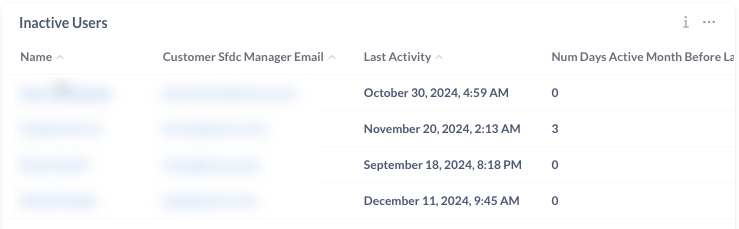
Inactive Users: Top 25 users that need attention. These are users that have been active in the past but have shown decreased activity in the past months
-
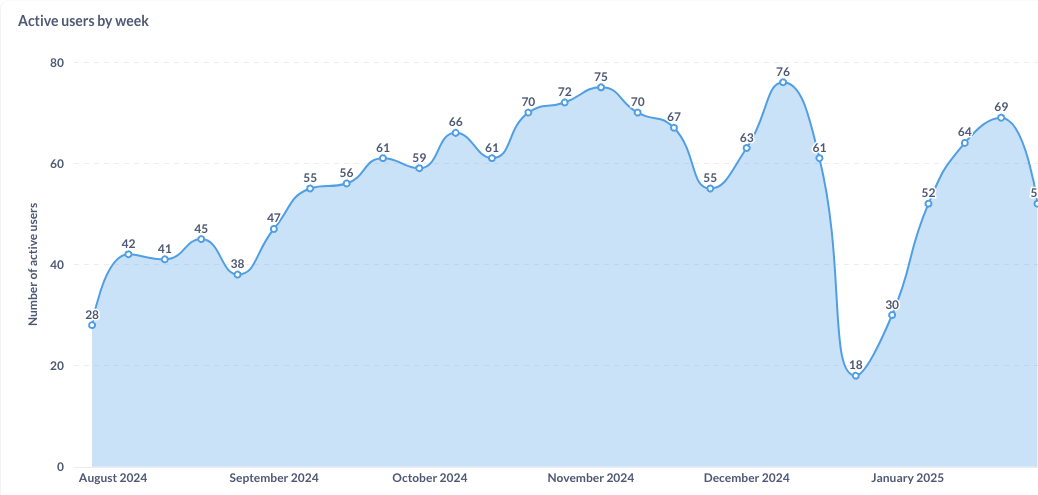
Active Users By Week: Graph showing the number of users that were active in the Pocus platform in a given calendar week
-
Active Users by Month: Graph showing count of distinct users that were active in a given calendar month
All Onboarded Users (All users that have ever logged into the Pocus platform and are still active in Salesforce)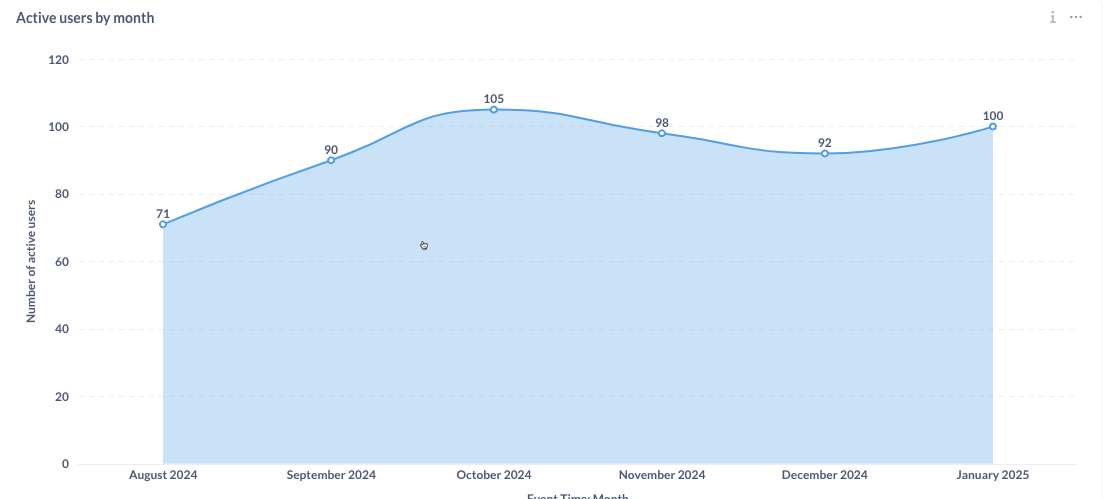
-
All Onboarded Users: All users that have ever logged into the Pocus platform and are still active in Salesforce

-
Pocus Activity by Team: Usage broken down by Salesforce User Role Name (a proxy for teams)

-
Pocus Activity by Manager: Usage activity broken down by Salesforce Profile and Manager

Updated over 1 year ago