

Coaching
Get a deeper view into Pocus usage and rep activity with coaching.
What is coaching?
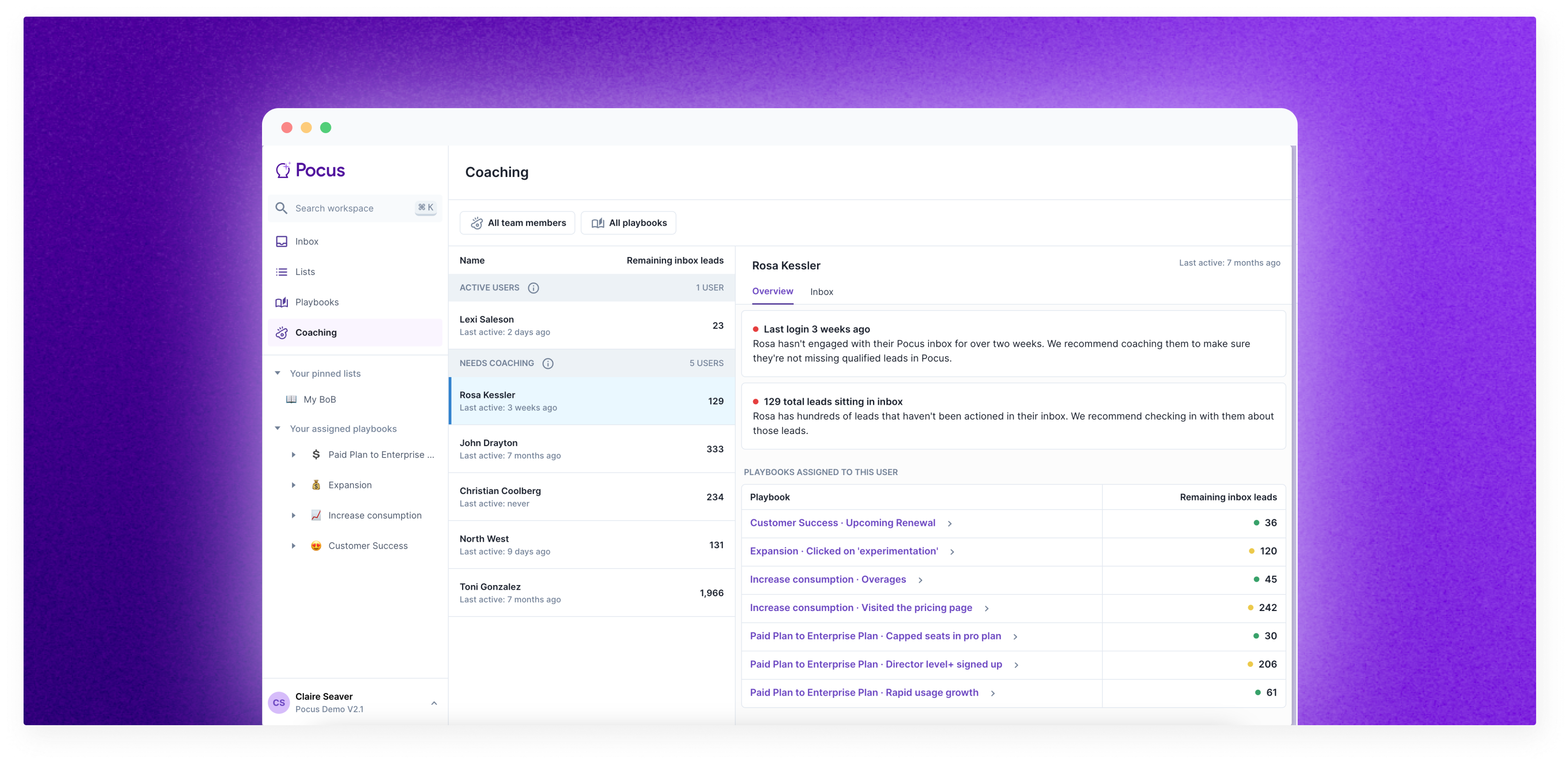
Coaching gives managers visibility into how individual reps and teams are performing within their given playbooks. As a manager or sales leader, you have the ability to view the inboxes of all reps across your organization or team to see how well they are doing in reaching inbox zero and working their top leads.
Note: The coaching functionality is available to those with Supplementary: Impersonator or Admin permissions. Learn more about Permissions.
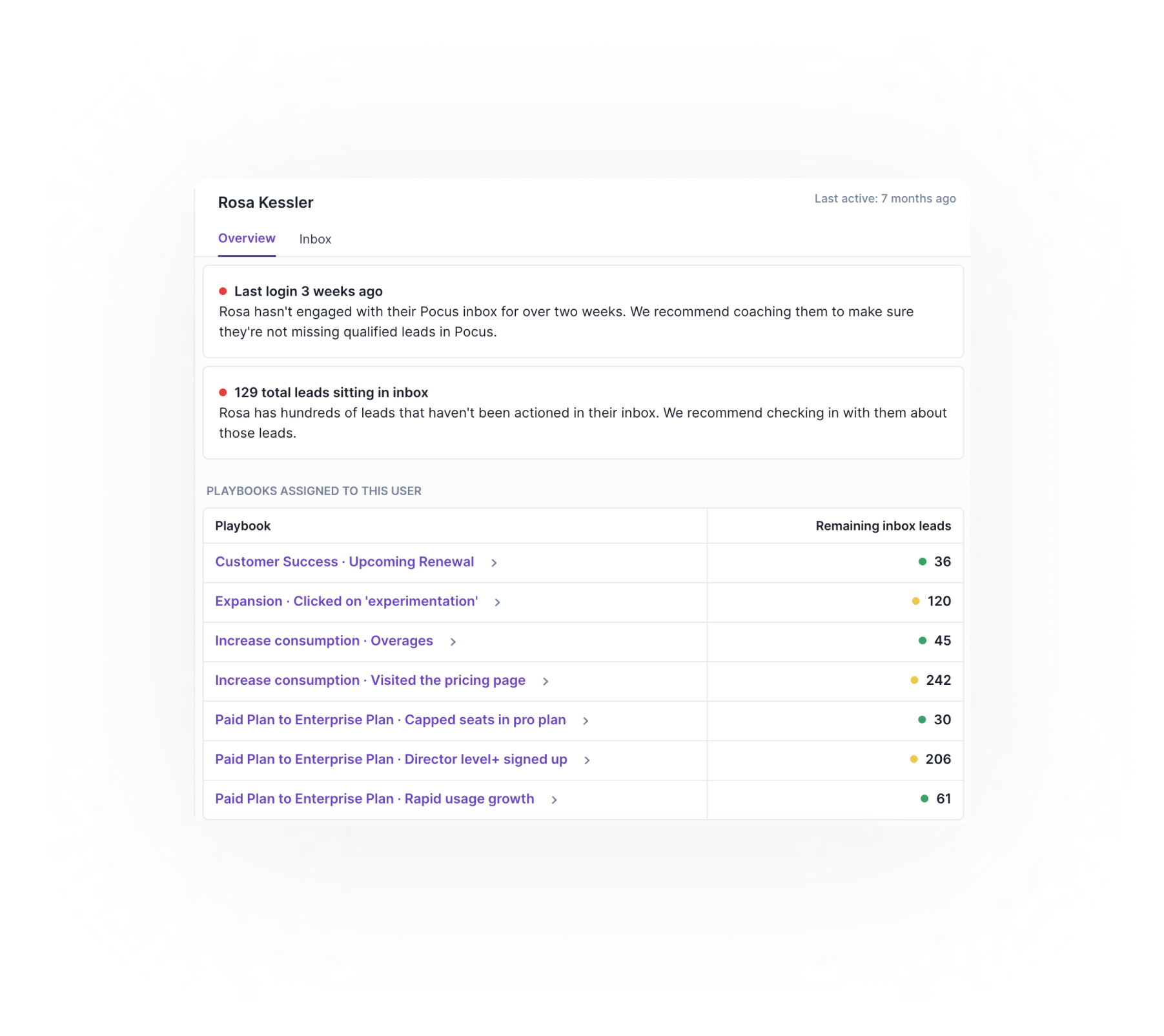
Overview
To view the inboxes of reps across your organization, go to the Coaching tab on the sidebar. Once here, you will see an Overview of all the users on Pocus, how many leads remain in their inboxes and how many actions they have taken in the last month.
Inbox view
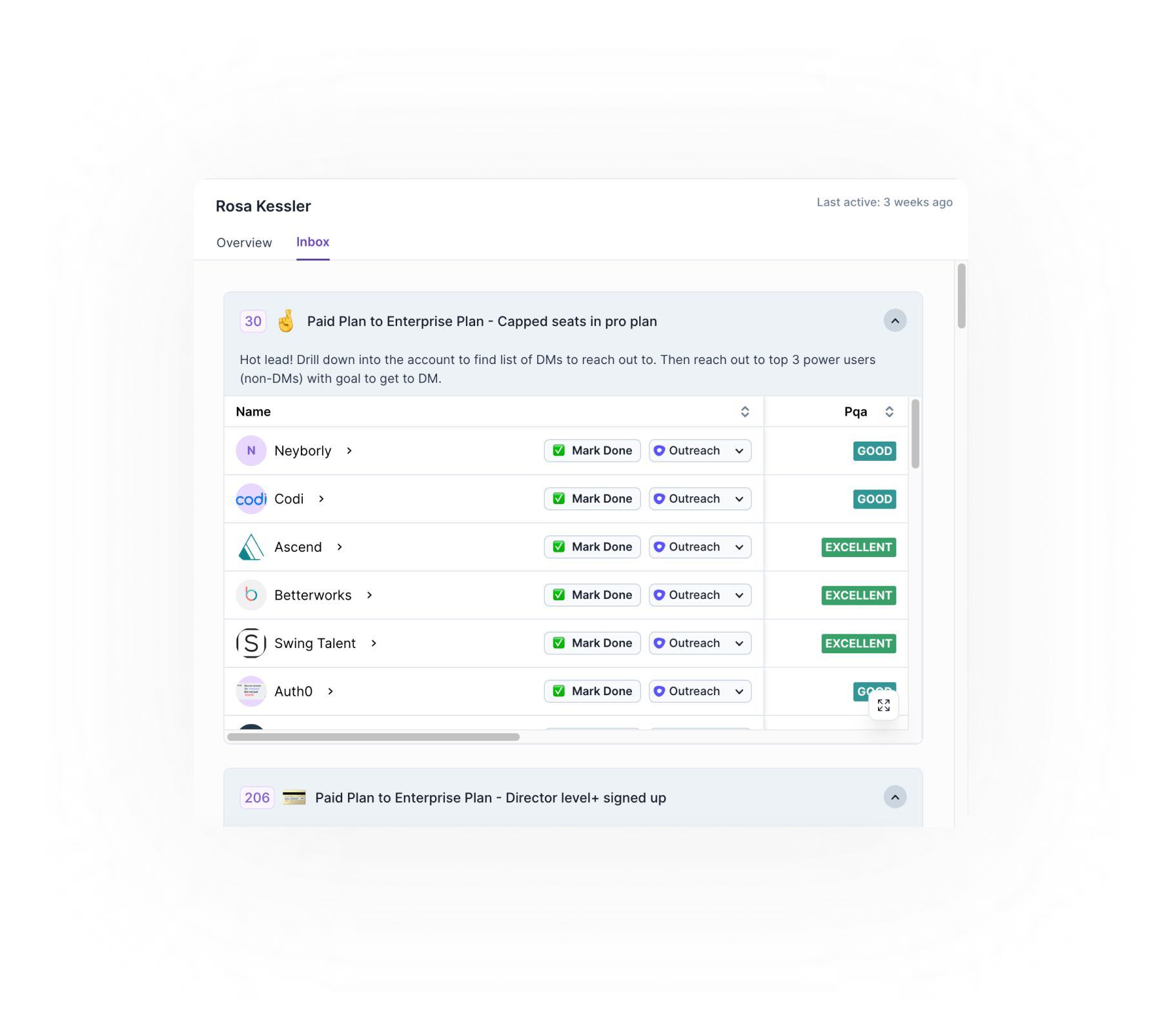
You can navigate to a specific rep’s inbox by clicking on the inbox view, see the inbox as the rep, and find specific leads that have not been actioned. Use this view to coach reps on how to best action their leads or make a game plan for a specific account.
Filters
You also have the ability to create and save a filter to display only your team or a specific group of users by updating the 3️⃣ team members tab. This selection will save every time you come back to the Coaching page.
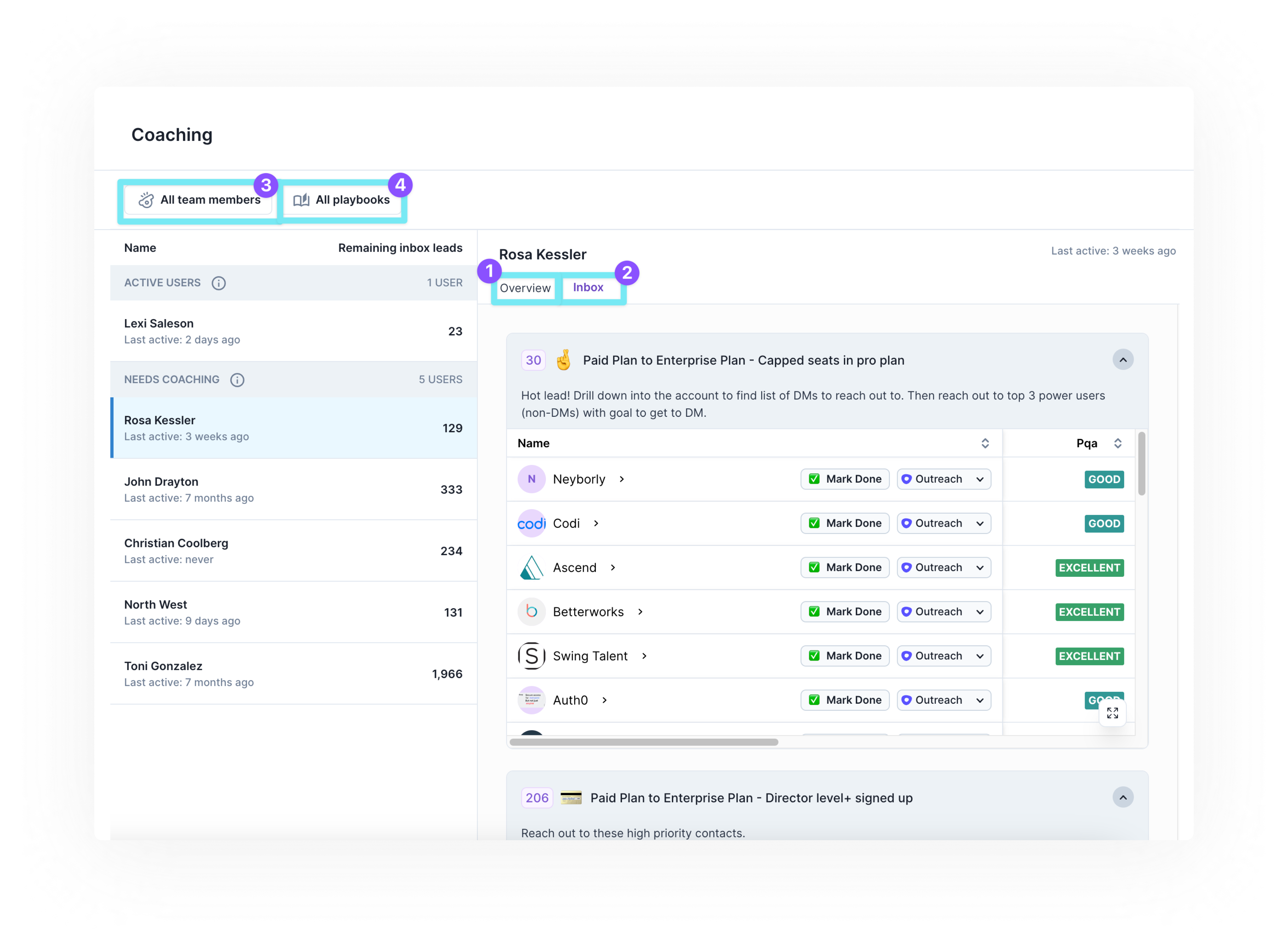
Additionally, you can filter by playbook type. For example, if you want to ensure every rep is hitting inbox zero with the hand raisers playbook, you can change the 4️⃣ playbooks filter to reflect only leads for this specific playbook. This will filter down the view for all reps to just reflect remaining leads in the selected playbooks.
Updated over 1 year ago