

S3 (via Pocus-owned service account)
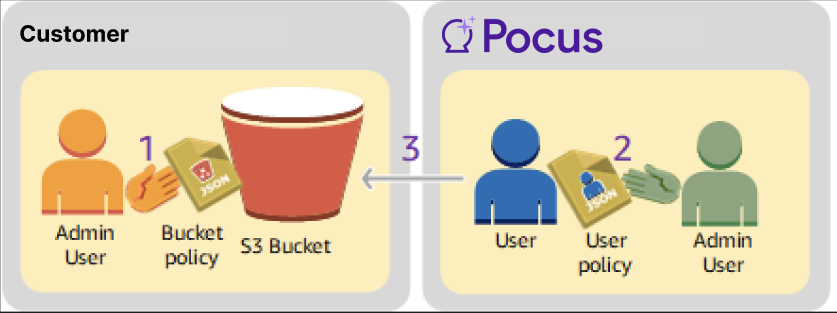
Pocus allows customers to provide data via an S3 bucket. In this architecture, data will be hosted in an S3 bucket controlled by the customer's AWS account, and data will be accessed by a user created by the Pocus team. This architecture can be viewed in more depth in the AWS documentation.
Pre-requisites
- An S3 bucket is created in your AWS account in region us-east-1.
- The Pocus team has provided you with the urn for the access user
- You have necessary permissions to attach bucket policies to your AWS buckets.
Granting bucket access to the Pocus user
- In the AWS Management Console, navigate to the permissions tab of the S3 bucket you plan to use with Pocus. Then, click the "Edit" button of the "Bucket Policy" section
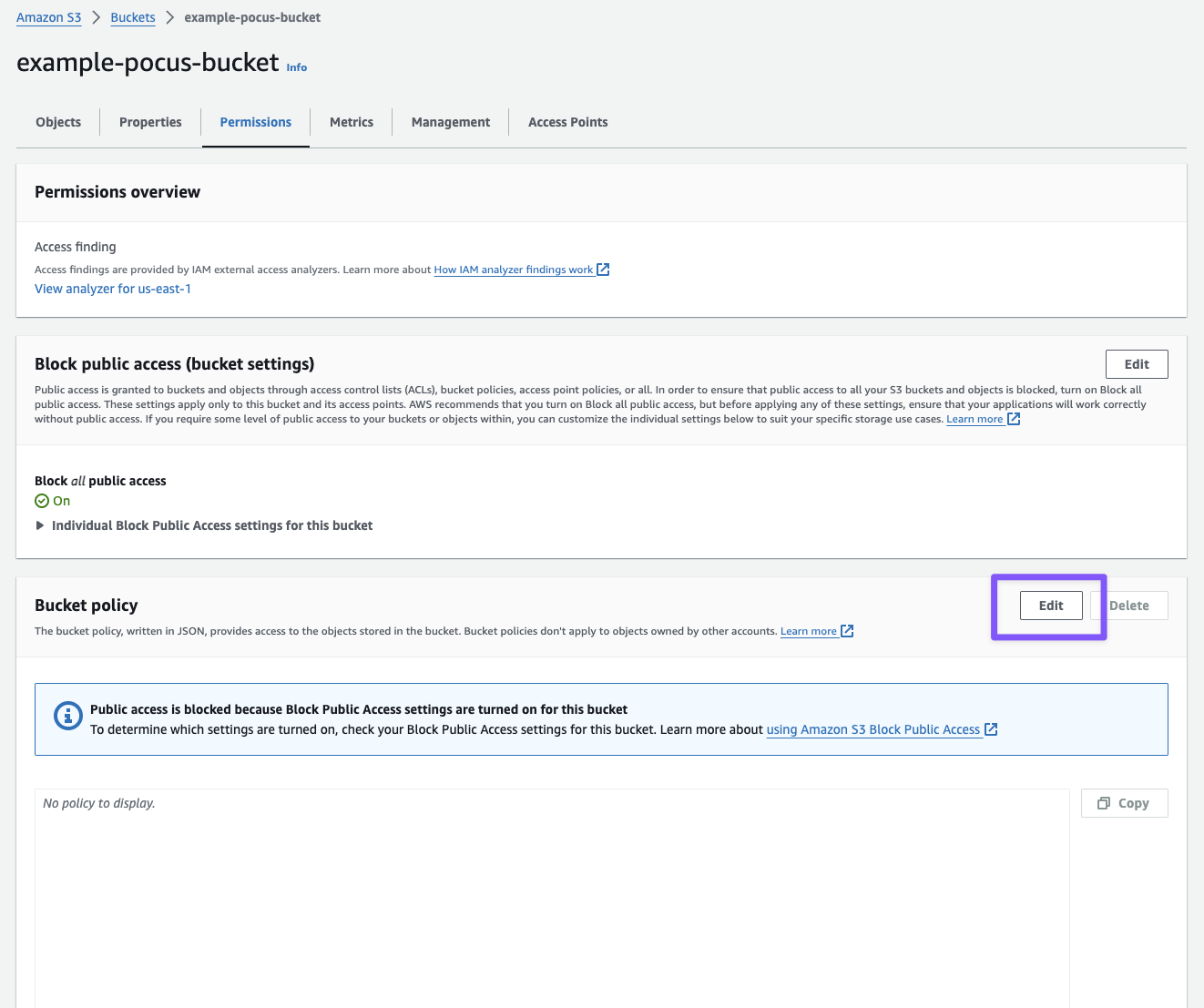
- Set the bucket policy to grant the Pocus account access to the data in the bucket.
{
   "Version": "2012-10-17",
   "Statement": [
      {
         "Sid": "Grant Pocus bucket access",
         "Effect": "Allow",
         "Principal": {
            "AWS": "[FILL IN WITH USER URN PROVIDED BY POCUS]"
         },
         "Action": [
            "s3:*"
         ],
         "Resource": [
            "arn:aws:s3:::[FILL IN WITH BUCKET NAME]",
         ]
      },
      {
         "Sid": "Grant Pocus bucket access to all objects",
         "Effect": "Allow",
         "Principal": {
            "AWS": "[FILL IN WITH USER URN PROVIDED BY POCUS]"
         },
         "Action": [
            "s3:*"
         ],
         "Resource": [
            "arn:aws:s3:::[FILL IN WITH BUCKET NAME]/*",
         ]
      }
   ]
}
Important Notes
- Make sure to fill in both sections in brackets. The User URN will be provided by the Pocus team, and the bucket name can be found at the top of the page (i.e.
example-pocus-bucketin the above example)- You are welcome to customize the permissions that the Pocus user has for the bucket. By default, the above policy will grant Pocus access to perform any action on the bucket being shared.
- Send the Pocus support team the name of the bucket, and we will complete the workspace setup.
Updated 5 months ago