

Routing
Customize an end-users workspace to only show their relevant leads with Routing.
What is Routing?
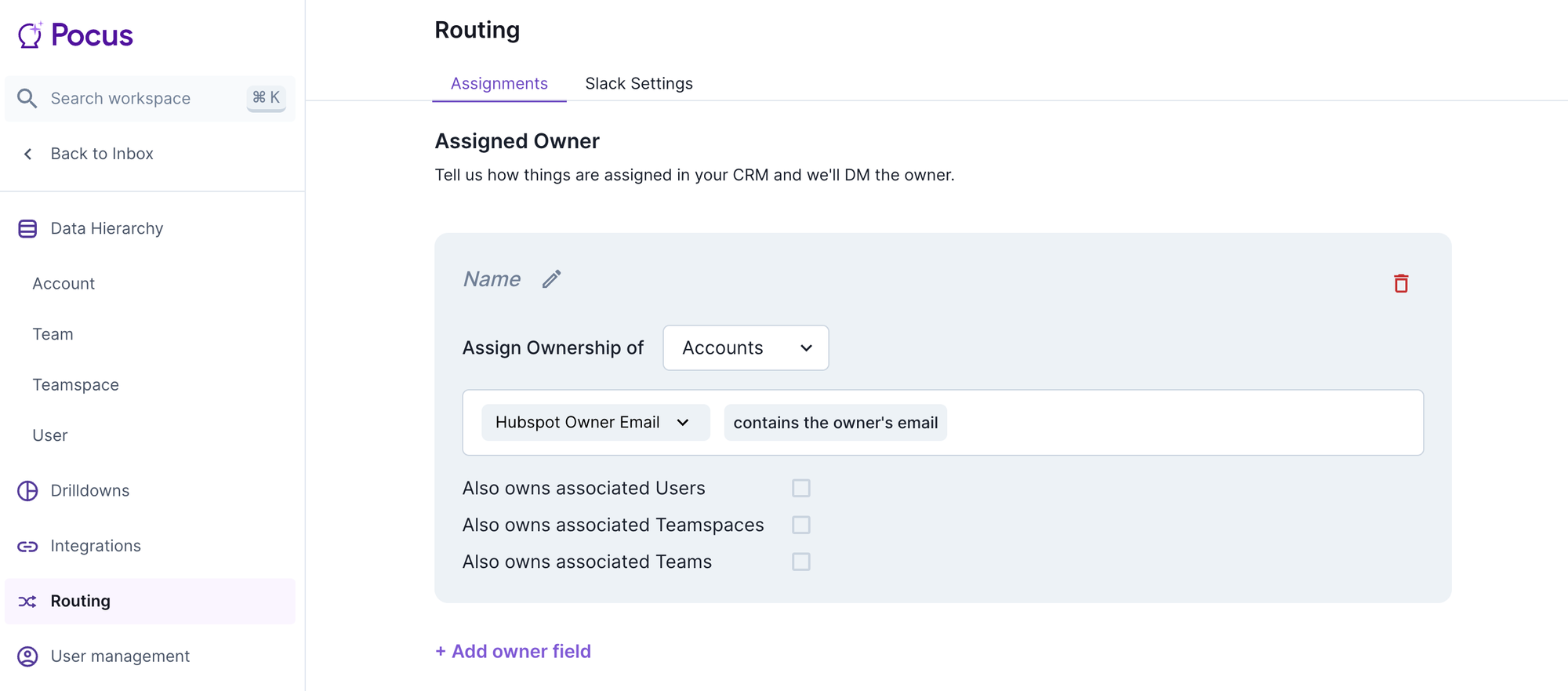
Use Routing to ensure that leads and accounts that have an owner properly surface to their owners in Playbooks and Lists. Routing settings can be accessed by navigating to Workspace Settings > Routing or using Command + K and entering Routing.
Assigned Owners
When there is a field in a CRM that has the owner's email address, you can set it here to match the email address of the Pocus end-user. Note it must be an email address field, not an id or name. Check the associated object boxes to have the owner also own the associated users, etc.
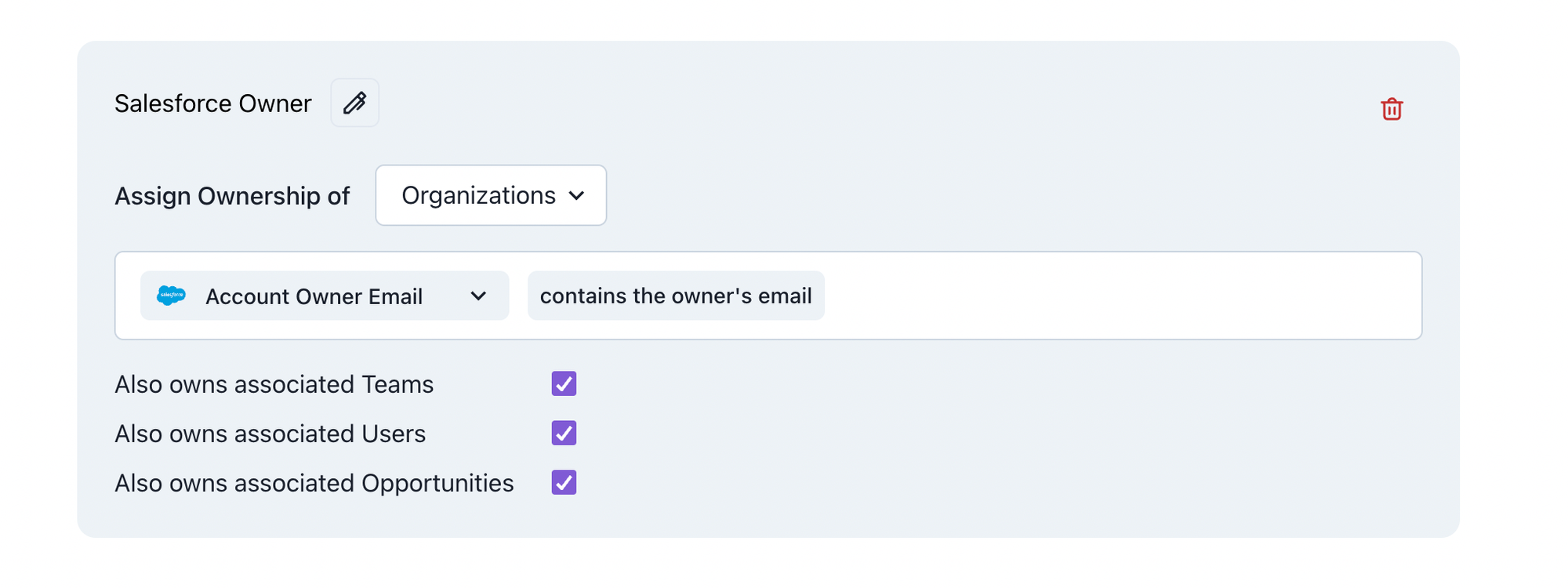
Common mistakes
- Routing rules overlap, meaning the same record can be routed to two or more different users via two different routing rules
- Pocus does a case-sensitive exact match on the end-users Pocus email, so confirm their user email and CRM ownership email are exact matches (e.g., [email protected] != [email protected])
Territories
When there isn’t a clear field or someone's ownership is based on another user's name (i.e., I’m an EISR that works with all of Bob and Joe’s accounts) create a territory. Territories are also helpful for QA and manager purposes when a leader or operations manager wants to have access to all accounts.
A territory explicitly assigns ownership based on configured filter conditions
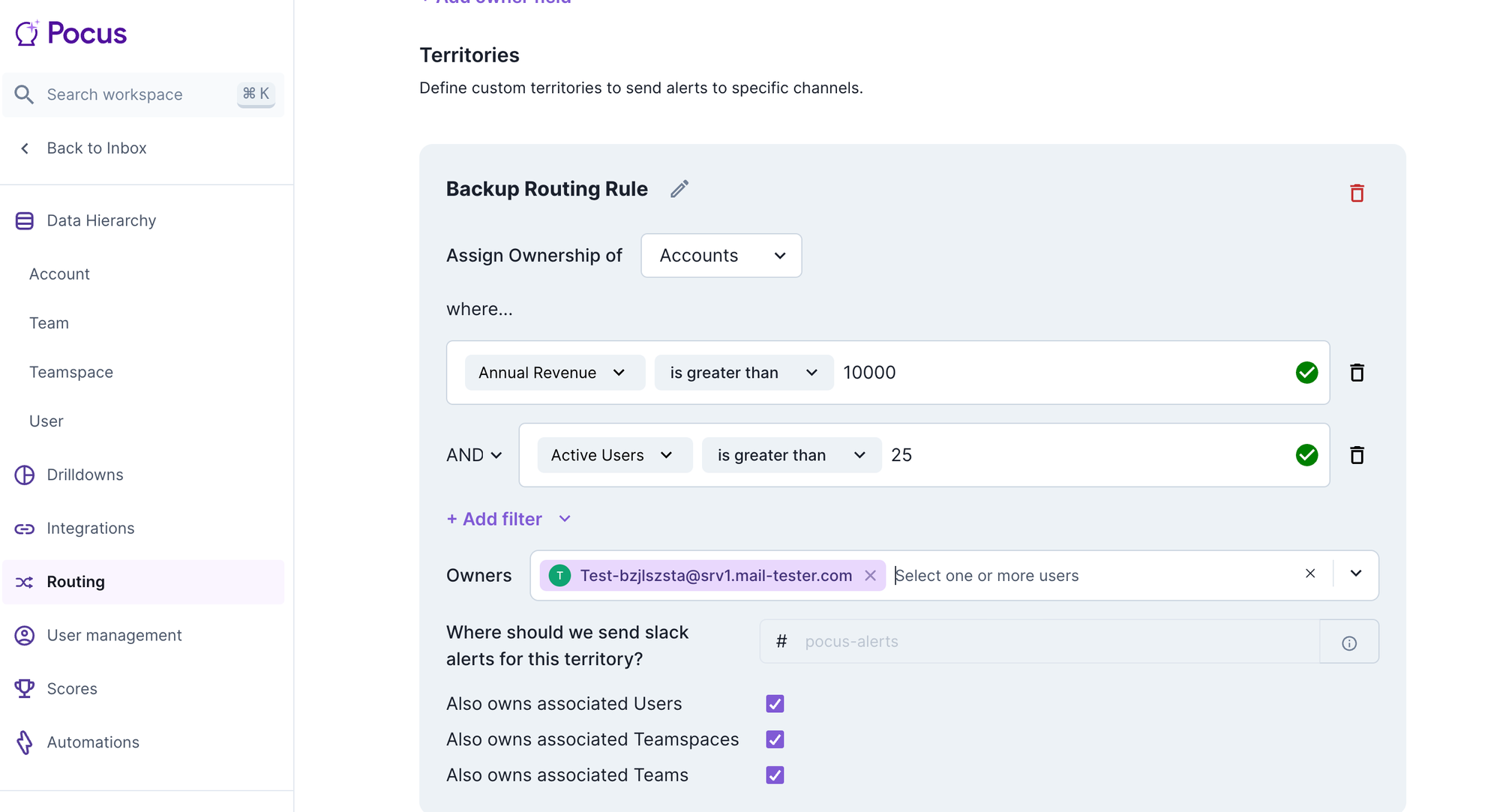
The example territory above will result in all Accounts with Annual Revenue > $10,000 AND Active Users > 25 being routed to our test email user. Any Users, Teamspaces, or Teams associated with those matching Accounts will also be routed to our test email. If any of these Accounts already have an owner email, they will also be routed to that owner. To avoid this overlap, add the condition that ourOwner Email field is empty.
Routing Usage
Routing is most often leveraged in playbooks to ensure only the most relevant items that qualify for Goal and Playbook conditions are surfaced. There is no setting to disable routing for Playbooks. Once routing is configured, it will automatically become active in Playbooks.
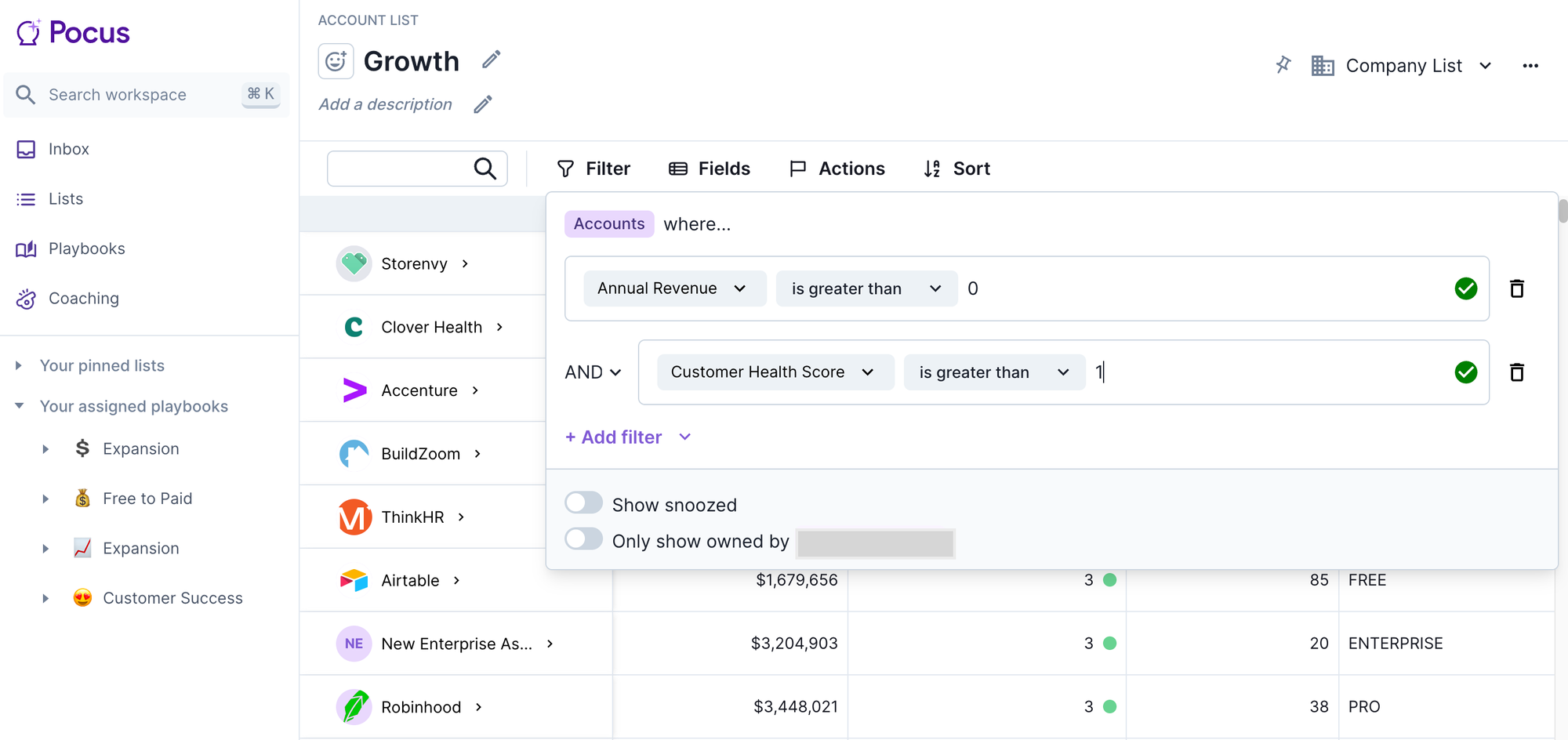
Lists can also leverage routing in the filter settings. Toggle on “Only show owned by” so that the user viewing the list will only see those items owned by them.
Updated over 1 year ago