

Audit Logs
Track what end-users are doing in the Pocus workspace
What are Audit Logs?
Audit logs track the actions taken by end-users in your Pocus workspace. These include changes to workspace configurations or actions taken on object instances.
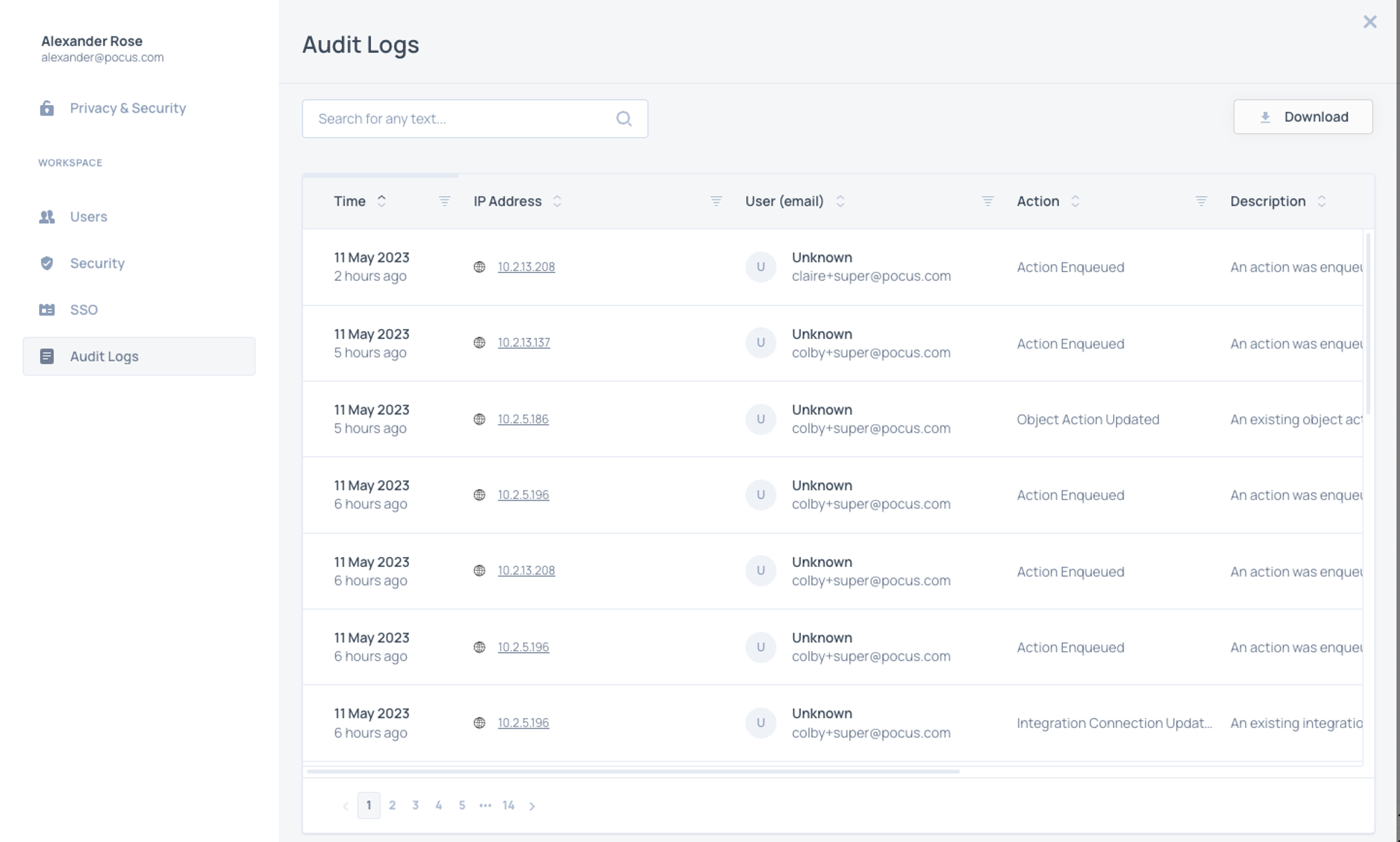
Using Audit Logs
To access Audit Logs, navigate to the User Management section of Workspace Settings. Click the Audit Logs tab of the User Management modal.
Every log includes the following information
- Time: The time the action was taken
- IP Address: The IP Address the change originated from
- User: The name and email of the user that made the change
- Action: The kind of change made, i.e. invoking an action, updating a query, updating a Playbook etc.
- Description: A more detailed description of the action taken
- User Agent: The browser Pocus was open in when the action was taken
- Context: The id of the item that was updated
- Item IDs can be used to further clarify which item in Pocus was acted on. You can usually find these ids in the URL when viewing a Playbook, Goal, List, Action, or Object in a drilldown.
Search by user email or Item Id to narrow down results.
TipDownload raw Audit Logs and generate a Pivot Table in Excel or Google Sheets to get a quick analysis on the type of actions your end-users are taking in Pocus.
Updated over 1 year ago
What’s Next
In addition to Audit Logs, every individual action has an Action log. Learn more.