

Bombora Intent Data
Overview
With the Pocus + Bombora integration, you can combine account-level intent data (which accounts are researching your space) with person-level insights (who within those accounts to engage). This makes Account-Based Marketing (ABM) more actionable and helps your team focus on accounts that are most likely to convert.
What you can do with Bombora in Pocus:
- Track key intent topics to see which organizations are actively researching solutions like yours
- Segment and act on organizations showing intent signals
- Use Bombora intent topics as inputs in Scores, AI Strategy, and Playbooks
What is Bombora Intent Data?
Bombora intent data tracks when organizations show increased interest in specific topics or concepts. When an account's employees read or engage with content matching a tracked topic (such as "marketing automation" or "cloud security"), Bombora identifies spikes in interest compared to baseline activity.
How It Works
Selecting Topics
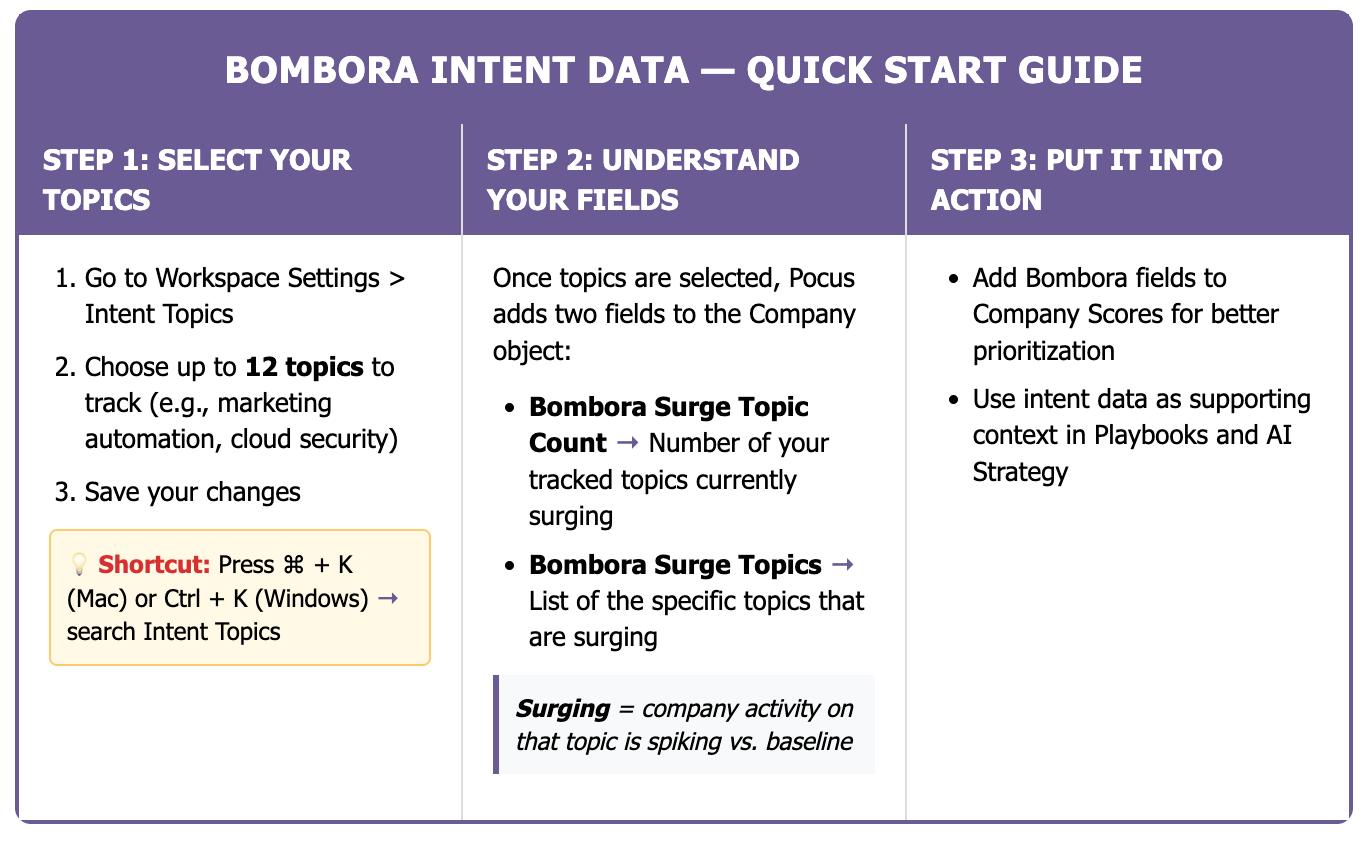
Pocus pre-selects 12 intent topics for your out-of-the-box Bombora integration. Each Bombora topic represents a concept or theme that Bombora tracks across its data ecosystem. Learn more about Bombora topics here.
You can customize which topics you follow:
-
Go to Workspace Settings > Settings > Intent Topics
-
Select or deselect the topics you want to track
-
Save your changes
Quick Navigation TipUse ⌘ + K (or Ctrl + K on Windows) to quickly open Settings, then switch to Intent Topics at the top
Bombora Fields in Pocus
Once intent topics are selected, the following fields are automatically added to the Company object in your Pocus workspace:
- Bombora Surge Topic Count (
Number)- Shows how many of your tracked topics are currently surging for that company
- Bombora Surge Topics (
String)- Shows a comma-separated list of the topics that are surging according to Bombora for that company
Note: These fields are added by default and will not be visible in the fields section of data hierarchy
What does "surging" mean?
A topic is marked as ‘surging’ when an account has shown increased interest over the past few weeks compared to its longer-term running average for that topic.
Using Bombora Throughout Pocus
Scoring & Prioritization
Include Bombora Surge Topic Count or Bombora Surge Topics in your Company scoring models. This helps surface third-party intent signals alongside product usage and fit data.
Best Practices
- Use Bombora data to enhance scores and fit models
- Treat surging intent as a signal, not confirmation: combine it with additional signals (such as product activity, demographics, or other firmographic signals) for more accurate targeting.
Frequently Asked Questions
Are there limits to how many topics I can select?
Each plan receives 12 topics to follow.
How often is Intent Data updated?
Bombora surging topic counts are updated once a week.
Can I change my topics once they're locked in?
Yes, admins can change their intent topics in Workspace Settings. Note that a workspace refresh is needed to see those updated topics reflected in fields.
Do I need my own Bombora subscription to access these features?
No—Pocus and Bombora have partnered to provide Topic Intent OEM to Pocus users at no additional cost.
Need additional help? Contact our support team for assistance with your Bombora integration setup.
Updated about 1 year ago