

Goals
Learn how to get the most out of Playbooks by configuring Goals relevant to your core GTM motions.
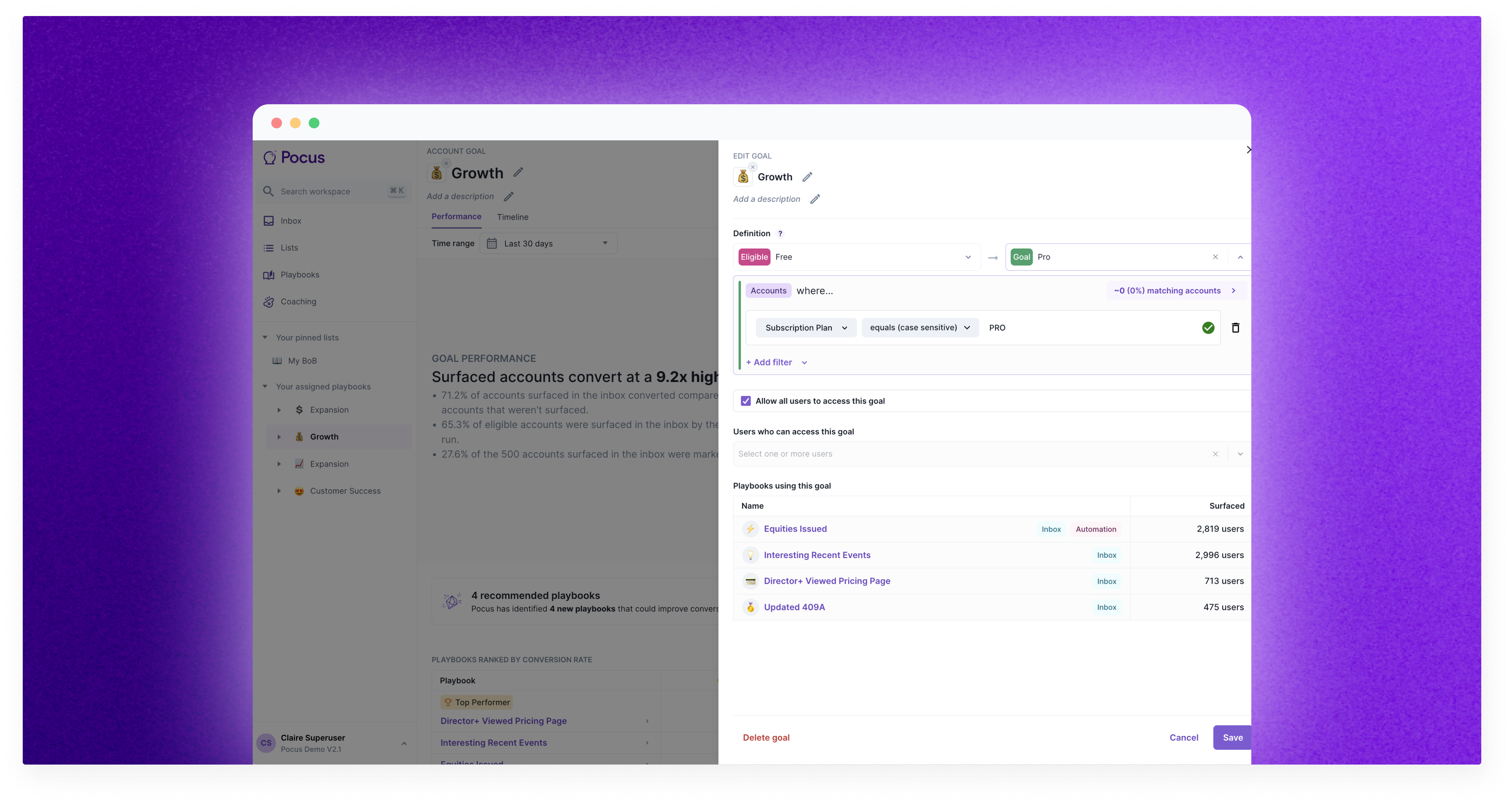
What are Goals?
Goals in Pocus operationalize the who, what, when, and how of Product-Led Sales. Choose from common PLS Goals like expansion or free to paid conversion, or define your own custom Goals. Each Goal has a specific outcome (i.e. account is paying) and a set of playbooks your team can run to get closer to that outcome. Think of Goals as the different motions Pocus customers run within their organization––trying to get their users from Point A to Point B.
Key Goal Concepts
- Intended Outcome: Choose a desired outcome for each Goal so you can carefully track your progress. This helps answer questions like… How many customers reached the goal? How many customers reached the goal without any sales team outreach?
- Eligible segments: Route the right eligible segment of customers for each Goal. For example, if the Goal is free to paid conversion, the only customers who should be in this Goal are those who are NOT paying.
- Teams: Choose the person(s) or team(s) to follow up with leads generated in this Goal.
- Playbooks: When should you reach out to a customer? What action should you take? What data needs to be updated in other tools? We call this a Playbook. Playbooks are made of up of triggers and actions. When a change happens within the account or a user hits a product milestone, instruct your team to take action or launch an automated action from the trigger.
- Inbox: This is where leads that qualify for Playbooks are surfaced to your teams so they can take quick action.
- Slack Alerts: Each Playbook will automatically create a Slack alert that shows the same information as the Inbox, simply rolled up into a carousel and sent to the owner in Slack.
How to set up your first Goal
# 1 Name your Goal
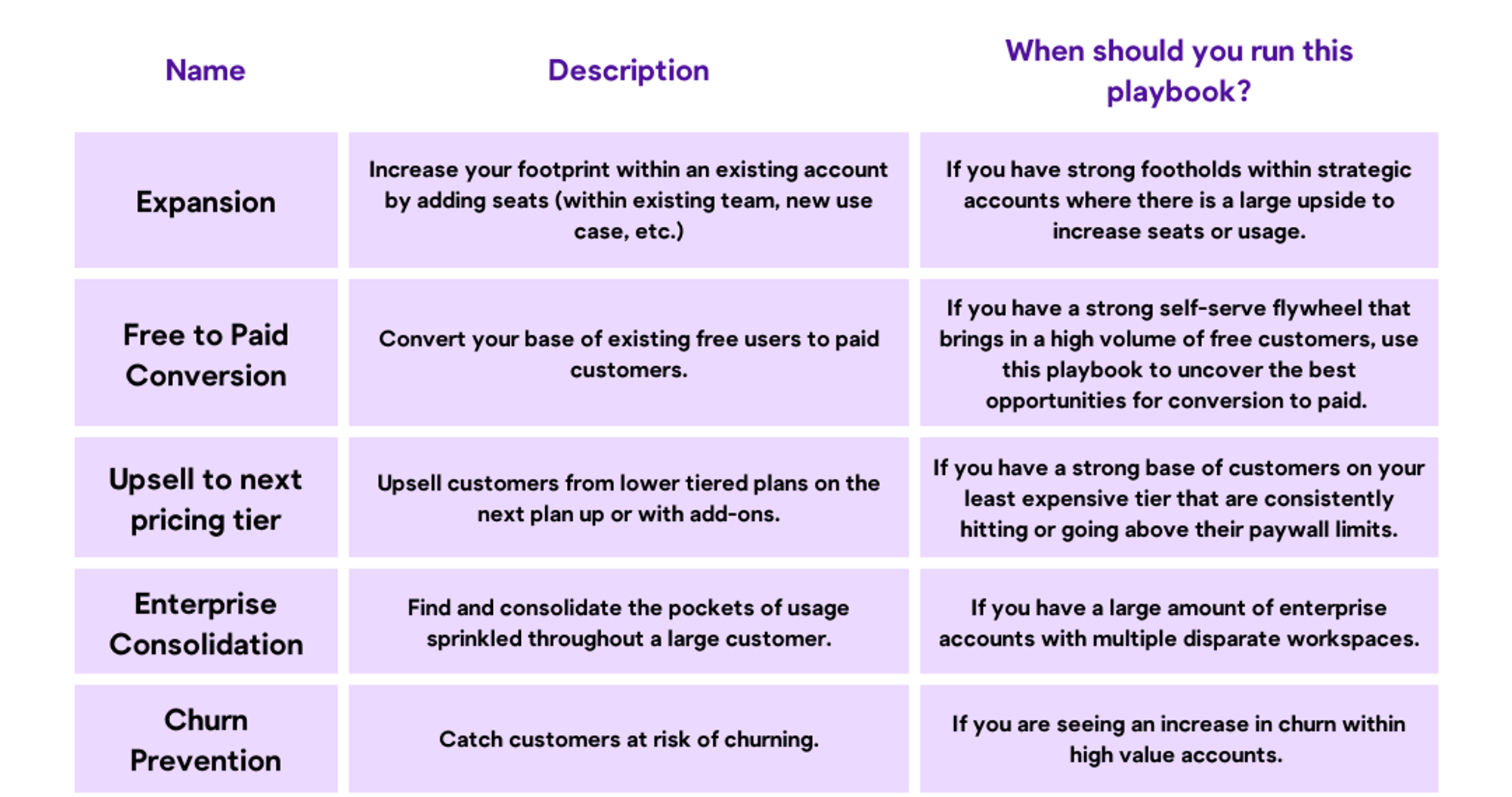
Choose a descriptive name that captures the Goal. Common Goals include:
- Free to paid conversion
- Free trial conversion
- Expansion
- Enterprise consolidation
- Churn prevention
- Upsell
Use this chart to help decide what Goals you should be running:
# 2 Choose what customer segments are eligible for this Goal
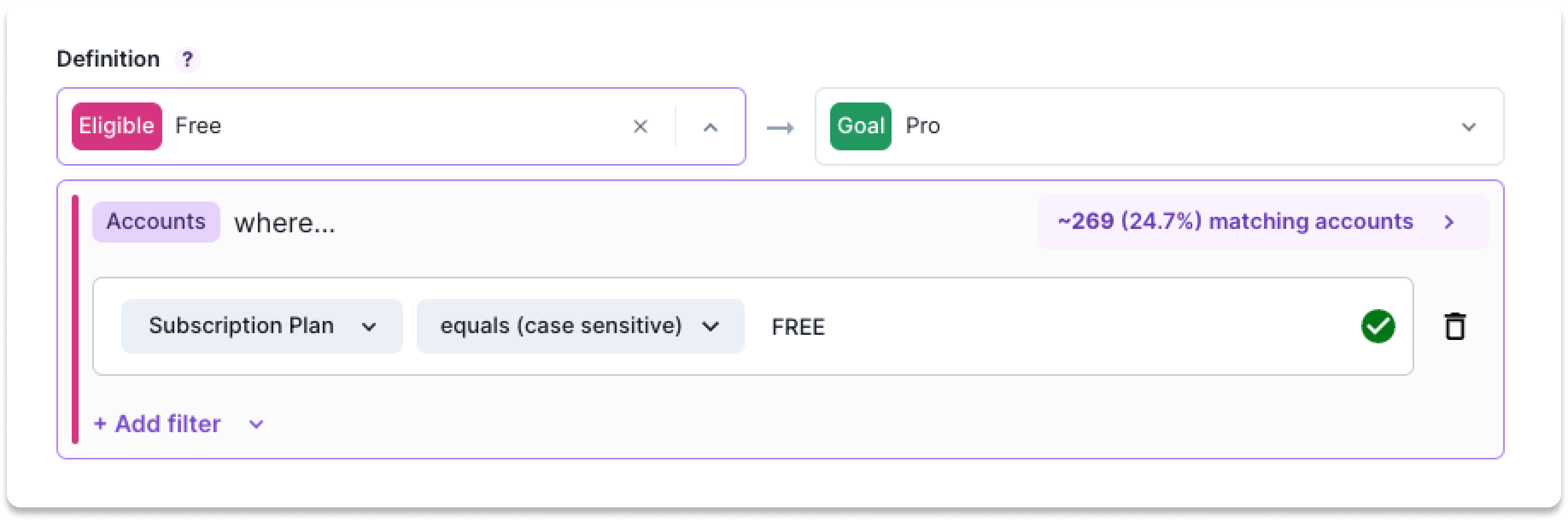
Goals make it easy to route the right segment of customers into each desired outcome. When defined correctly, there should be little overlap in customer segments between Goals.
In this example, the Goal is free to paid conversion. So, the only customers who should be in this Goal are those who are NOT paying.
# 3 Pick an intended outcome for your Goal
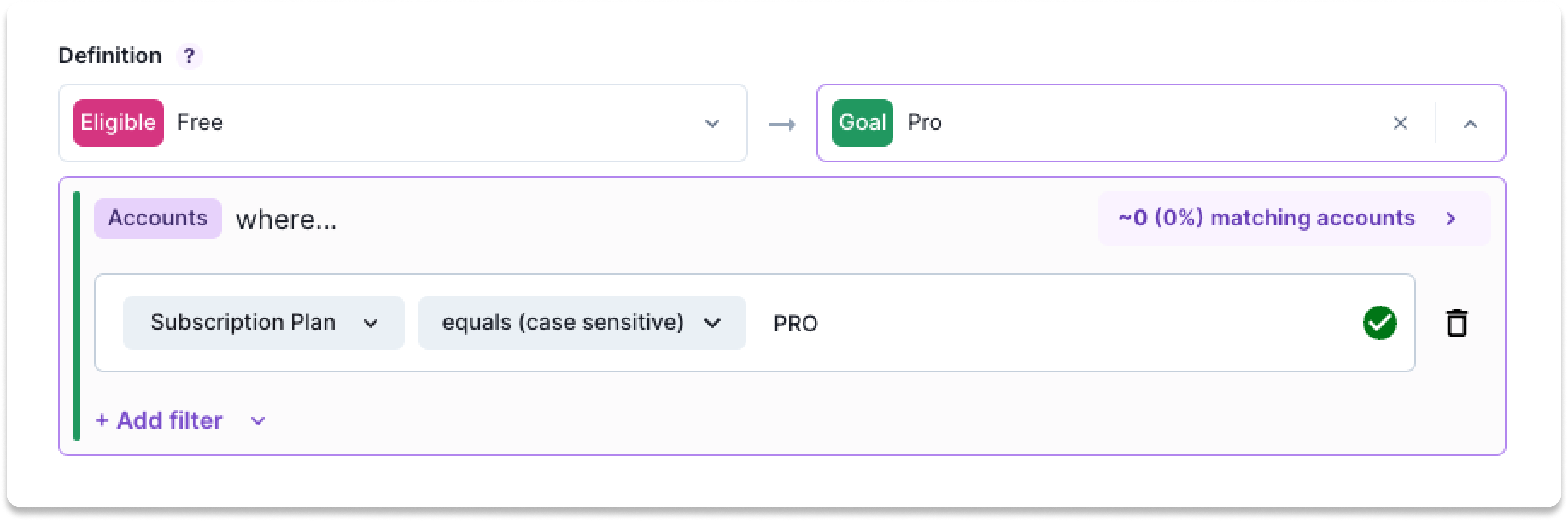
You can’t effectively implement a Product-Led Sales strategy without an intended outcome. How do you understand the impact of surfacing PQLs to your sales team? Choose a distinct outcome for each Goal so you can carefully track your progress. This helps answer questions like…How many customers reached the goal? How many customers reached the goal without any sales team outreach?
Try to pick something that is attainable within 30-60 days. Depending on your sales cycle, this might mean a proxy metric like a meeting booked or a later-stage opportunity. Once the record meets the Goal, it will be removed from the playbooks. See Reporting to learn how the Goal will be utilized.
# 4 Decide what team is responsible
If there isn’t an owner, then the work won’t get done. This is a pretty self-explanatory step. Choose the team that should be following up with leads generated in this Goal. Want to have it visible to all? Check the Allow all users checkbox.
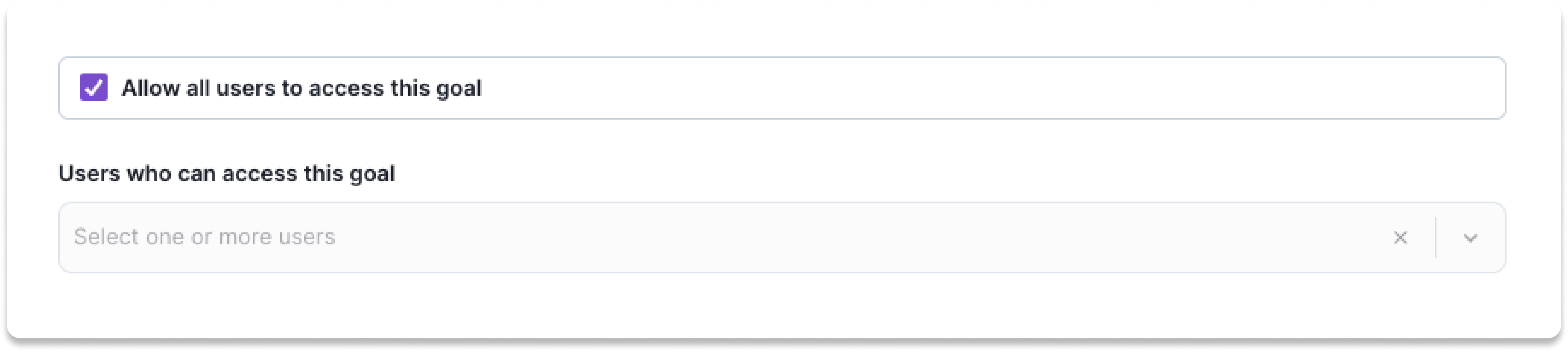
Note: The inbox will automatically filter specific objects based on set up Routing, but you still need to specify what goals should be visible to a given user.
The combination of Goal ownership, Routing, Goal eligible filters and playbook triggers determine what is presented to end-users.
Once you set up the outcome, customer segment, and routing for the Goal, it’s time to configure your Playbooks
Updated over 1 year ago