

Snooze
Learn how to Snooze the noise and make you Inbox and Pocus workspace focus on the most relevant leads.
What is Snooze?
The Snooze action is a way to hide a record (e.g., user, account, workspace) from my personal views for a set period of time. This is a great way to reduce the noise of accounts and users that aren’t relevant to you, without impacting others workflows.
Snooze Settings
Like all actions, the Snooze action is added to an object in that object's action tab in your Workspace settings.
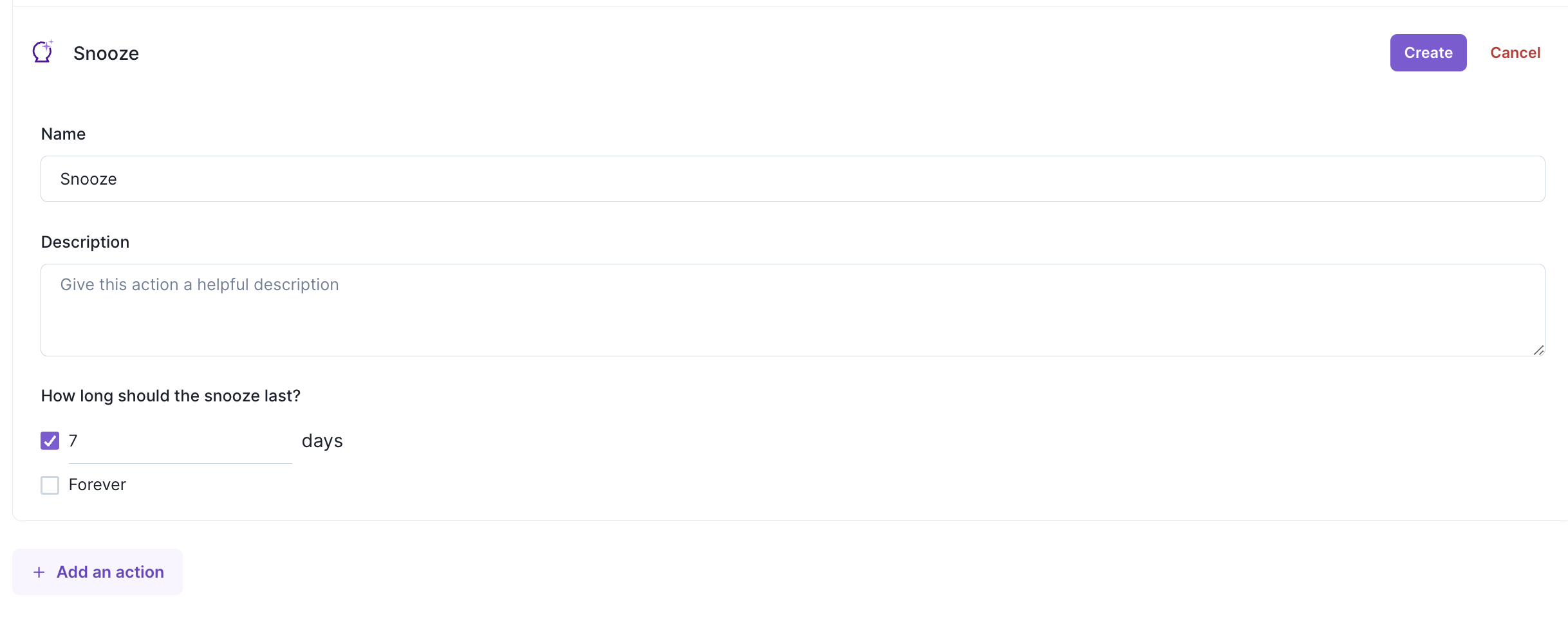
- Name your Snooze action. It’s helpful to include the duration in the name since that won’t be visible outside of the configuration.
- Set how long the record should stay snooze for users in days. Want to give users an option to hide a record forever? (Well really the year 2100 🙂) Set the snooze duration to
forever
Whenever a user invokes this action throughout the workspace, it will hide that particular record for just that user for the duration of time configured. It will still appear on OmniSearch and when Show snoozed is toggled on in Lists.
Viewing Snoozed Records
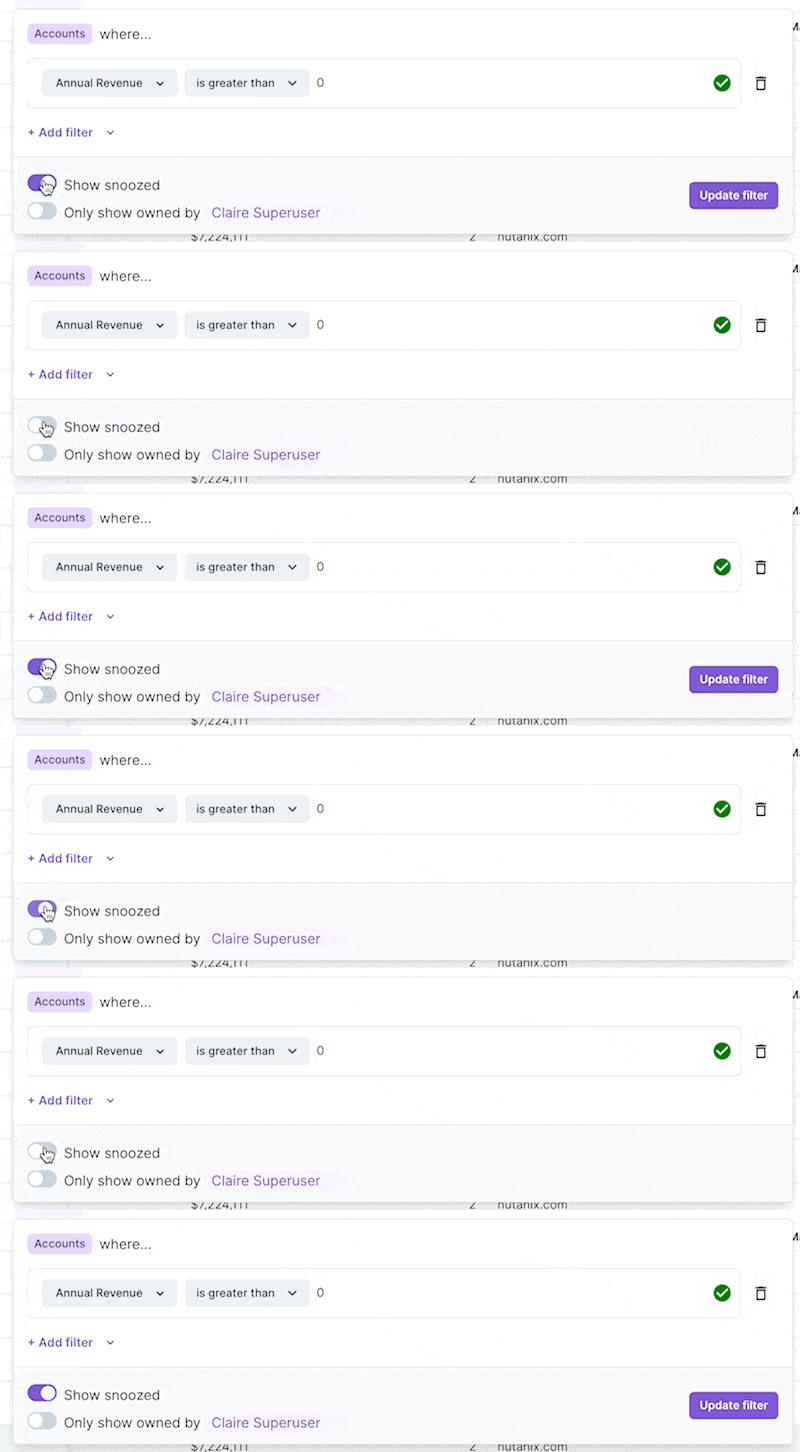
To view all items that are currently snoozed you can create a list with the "Show Snoozed" setting in the list filter toggled on. To only view snoozed items, you can additionally set the filter to only show rows where the "Snooze End" field is not blank
Tips for Using Snooze
- You have a lot of “noisy” users you're not necessarily wanting to reach out to right now.
- You’re splitting your book or working closely with an AE, SDR and know they are actioning a user. Use a Snooze so that the hiding only impacts you.
Updated over 1 year ago