

Playbook Directory
Learn about how to manage Goals and Playbooks from your Playbook Directory
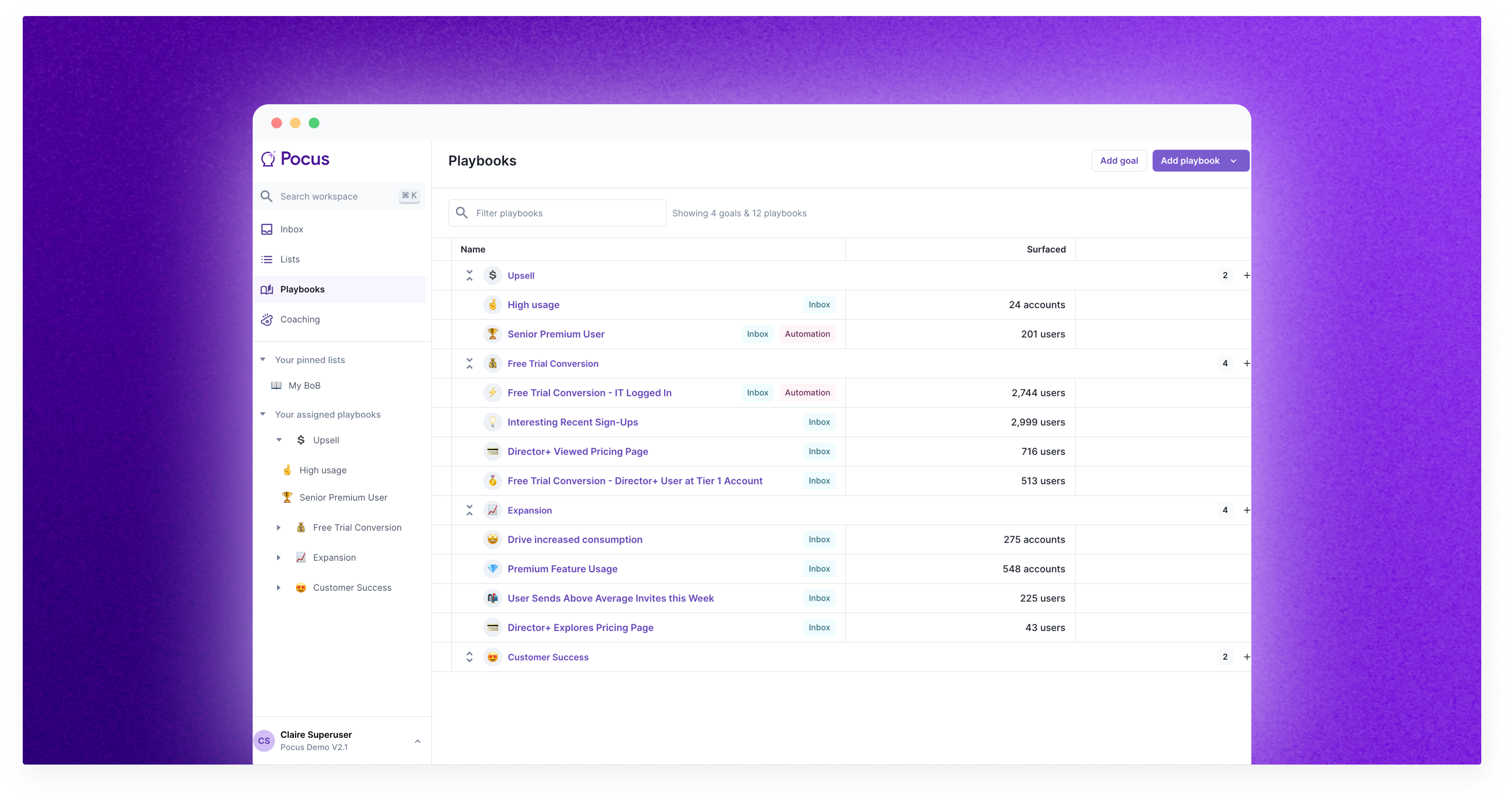
Playbook Directory
The Playbook Directory gives you an overview of all active Playbooks throughout your organization.
You can find the directory by navigating to the Playbooks page in the left-hand menu. From here, you can:
- View all Goals and the Playbooks associated with each Goals.
- Add or Edit a Goal or Playbooks
- Duplicate or Delete a Goal or Playbook
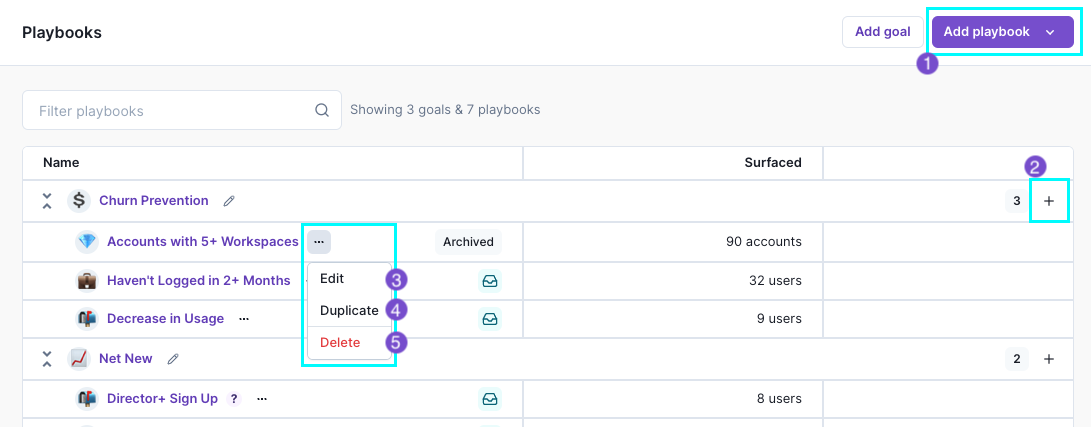
1️⃣ Creating new Goals or Playbooks
Click the Add goal or Add playbook buttons in the top right corner to create new Goals or Playbooks. See Goals or Playbooks for more instructions.
2️⃣ Adding a Playbook to a specific Goal
Click the ➕ icon next to a Goal to quickly create a new Playbook under a particular Goal. To the left of the icon, you can also see how many Playbooks you’ve already built for the Goal.
3️⃣ Editing Playbooks
Click the three-dot menu next to the Playbook, hit Edit to easily edit any Playbook. See Version Control for Playbooks to learn more about how editing impacts live Playbooks.
4️⃣ Duplicating Playbooks
Click the three-dot menu next to the playbook, hit Duplicate, and create a copy. You can move Playbooks between Goals by selecting a different Goal from the dropdown. This is super helpful if you have very similar Playbooks you're running across your different motions.
5️⃣ Deleting Playbooks
You can also delete a Playbook by clicking on the three-dot menu.
Deleting is not reversible, so do this with caution.You will lose reporting and all of the history of who has come into that playbook once you delete a playbook.
Updated over 1 year ago