

Configuring the Company Profile
Complete the company profile to make Pocus AI smarter
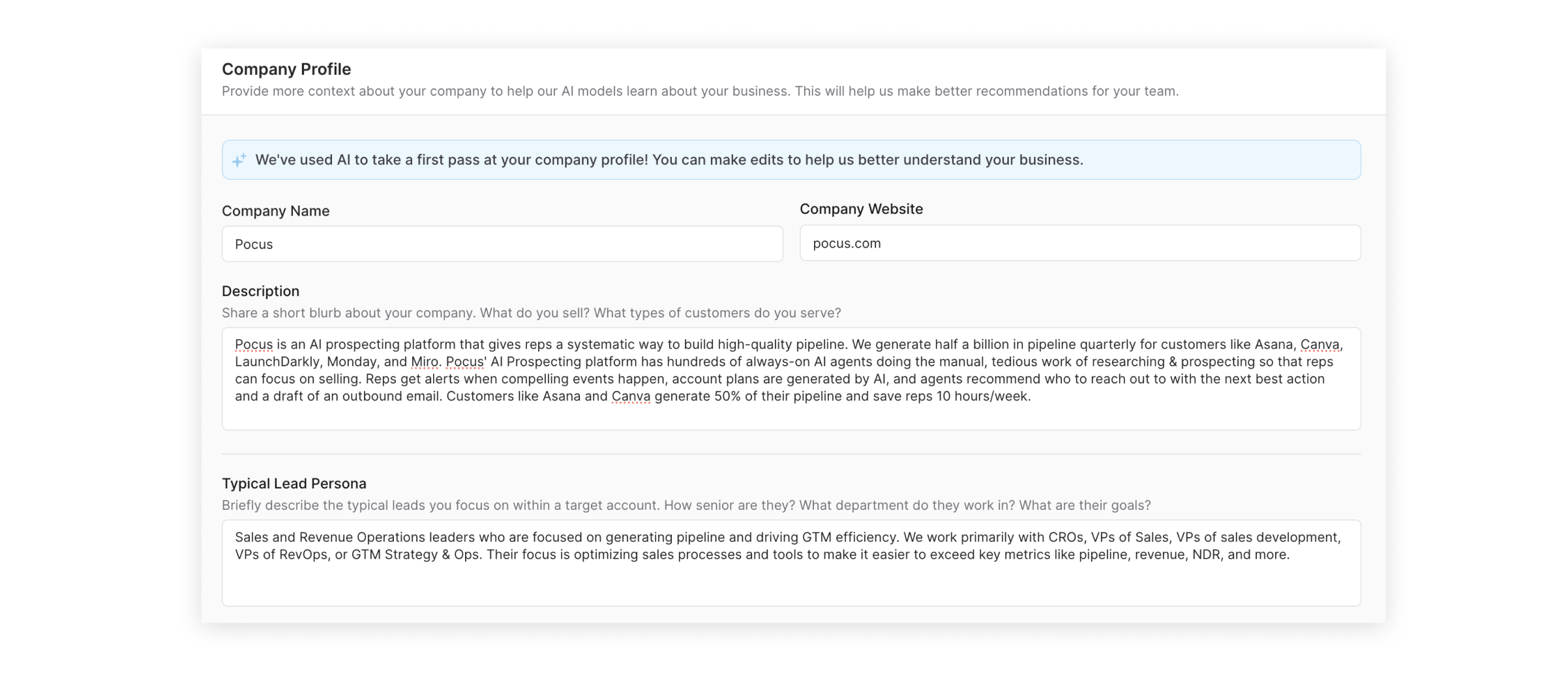
As part of workspace setup, admins should fill out the company profile with details about their business, like their products, lead personas, important existing customers, and key value propositions. This profile section informs Pocus AI when answering questions about prospects and surfacing insights or relevant events.
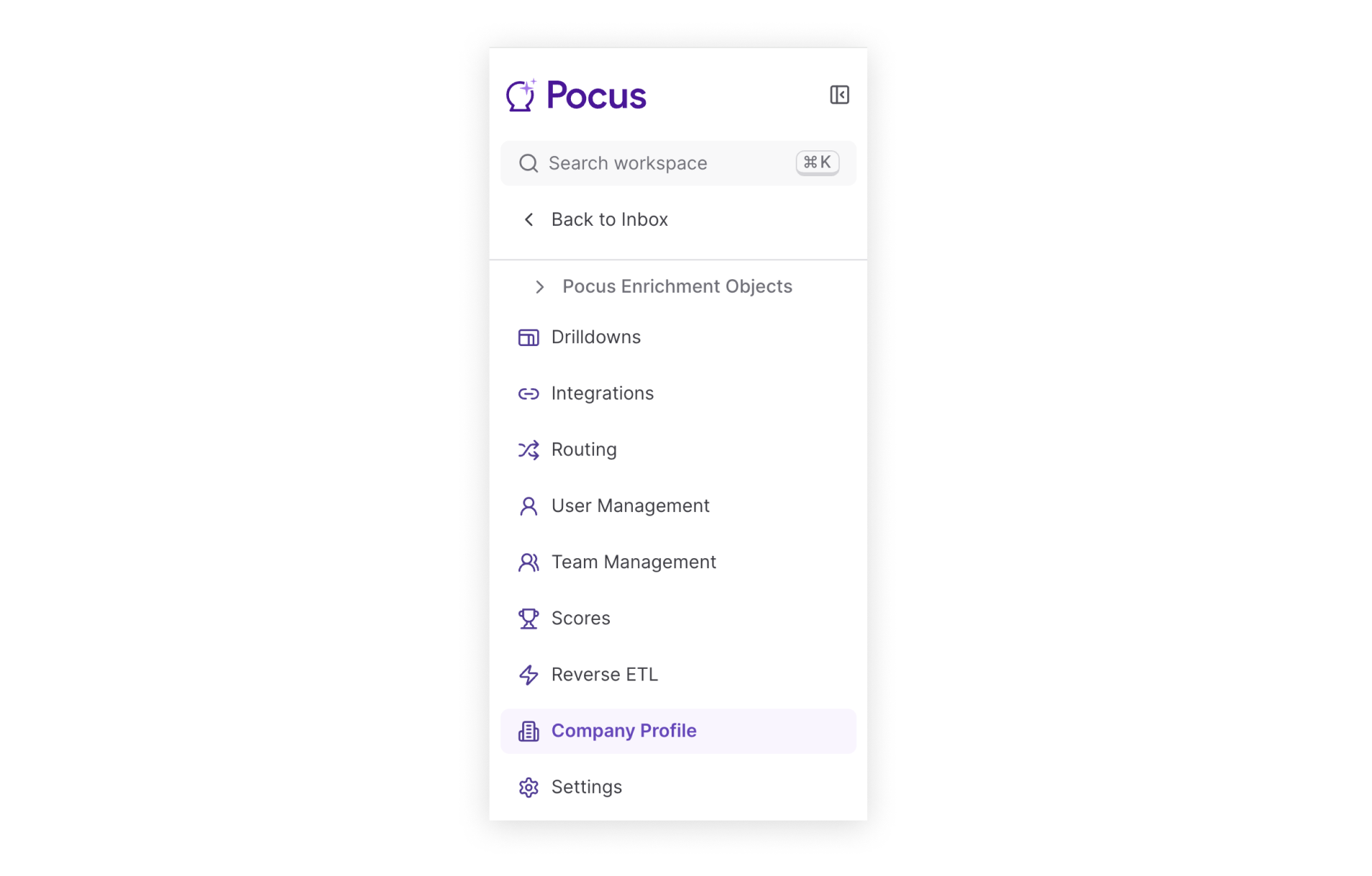
You can navigate to company profile configuration via the sidebar in workspace settings:
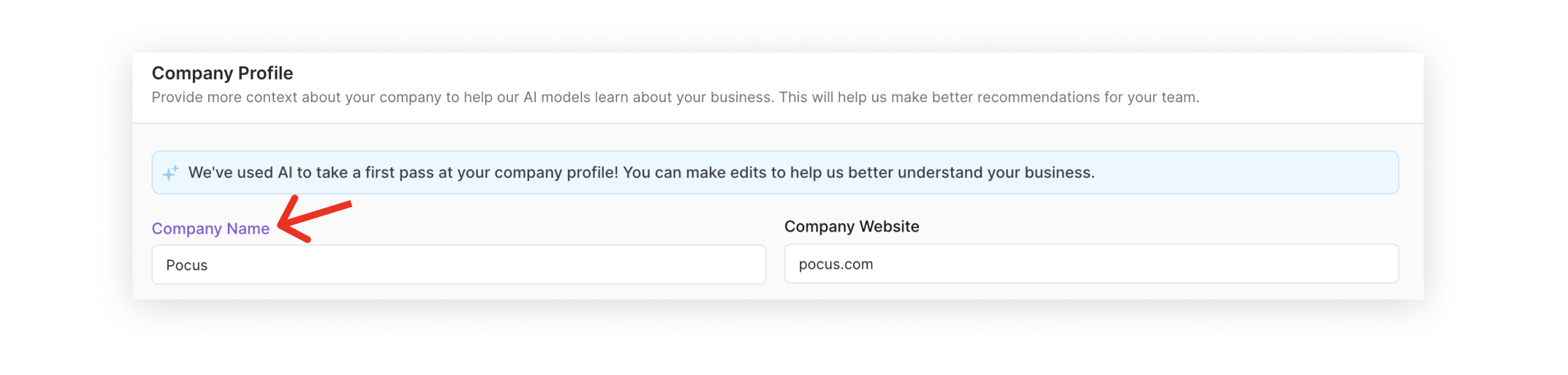
Instead of manually drafting your company profile and business information, you can also Pocus AI to take a first pass—just click on the Company Name heading pictured below. This will generate a description of your company and relevant sections using publicly available information.
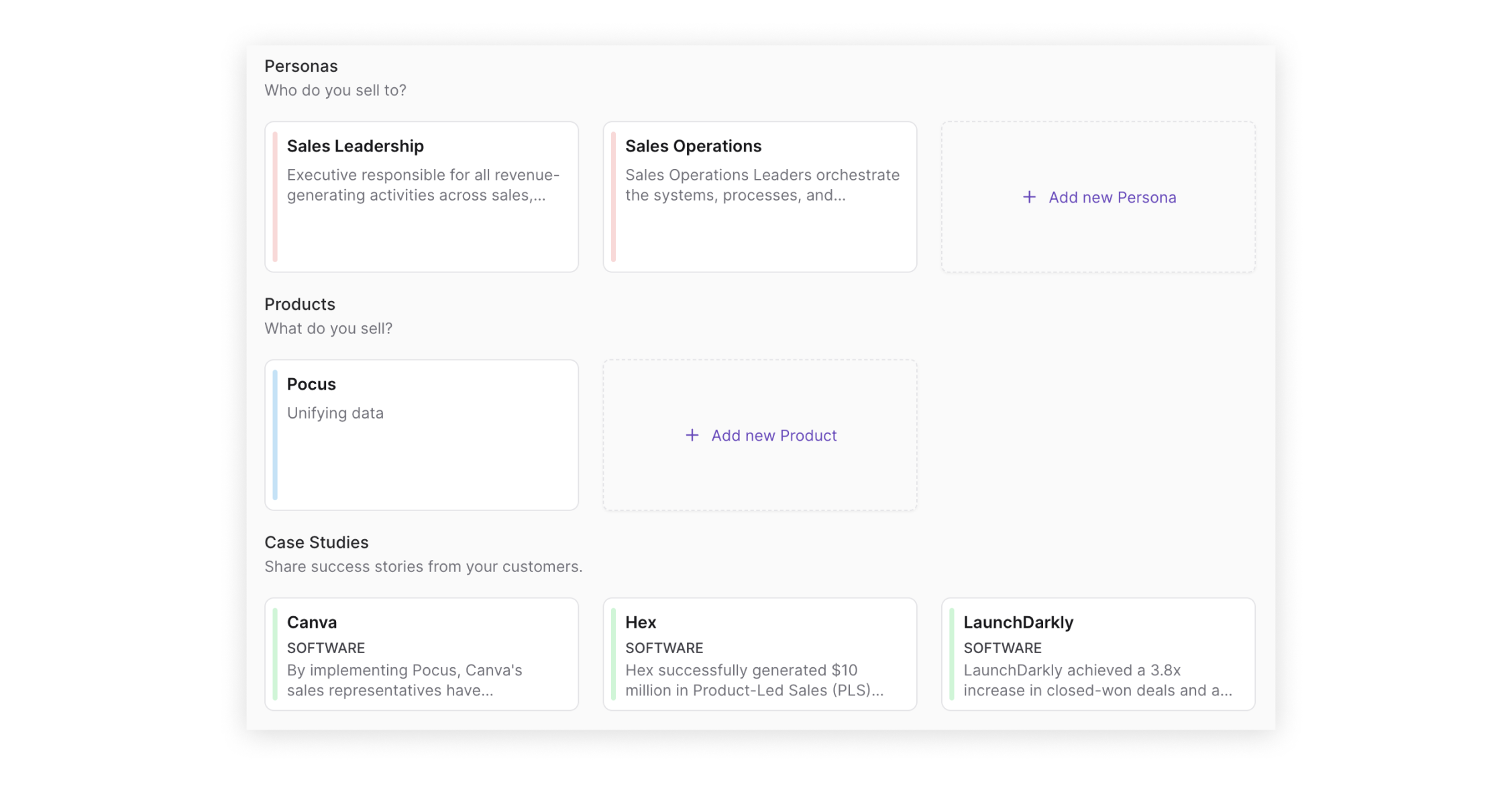
In addition to the auto-generated profile sections, you can also add more robust details via the Personas, Products, and Case Studies tiles at the bottom of the profile editor.
As a best practice, we recommend that leaders take a second pass through the company profile once the AI draft is complete, cleaning up redundancies and adding details as needed. By keeping the profile up to date, admins can make sure that Pocus AI has the latest information about your business and products.
Updated over 1 year ago